





Autodesk InfraWorks 2020.2 | 2.9 Gb
[i]Languages: Deutsch, English (GB), English (US), Español, Français, Italiano,
日本語, Português, Русский, 中文[/i]
Autodesk is pleased to announce the availability of InfraWorks 2020.2. This release includes new and updated features, performance enhancements, known issues and fixes.
[i]What's New in Autodesk InfraWorks 2020.2 - Date: January 2020[/i]
Autodesk Connector for ArcGIS
- We've added the ability to select attributes when publishing InfraWorks features to ArcGIS Portals.
- We've added the ability to select attributes when exporting InfraWorks features to File GeoDatabase (FGDB) format.
- We've added support for coded values from ArcGIS to be brought into InfraWorks, and saved back to ArcGIS as well.
- We've added support for connecting to ArcGIS server layers in addition to ArcGIS Portal layers.
Civil Structures
- We've added the ability to use parametric bridge bearings from Autodesk Inventor in your InfraWorks civil structure projects. This allows users to control the geometry of bridge girder and pier interface with greater precision.
- We've added the ability to review bearing top elevation values in the Stack when a bearing is selected.
Collaboration
- We've enabled bookmarks from your InfraWorks models to be available in the Autodesk Viewer when models are published to BIM 360 Document Management.
Extended Schema
- We've improved the Extend Schema tool to enforce naming length limitations that could arise when InfraWorks data is published to ArcGIS as feature layers
General
We've made it easier for you to geo-reference your InfraWorks model data by improving the ways that you define coordinate systems for new models. With this release onward, new models will no longer have LL84 defined as the database coordinate system by default. Instead, choose the best coordinate system for your design project whenever you create a new model.
Model Builder
- We've enhanced the look and feel of the Model Builder user interface to match the entire InfraWorks application interface.
Roadway Design
We've added a new option for linear feature vertex prediction when reviewing linear features in the cross section view. By default, Vertex Prediction is now ON. When you modify a cross section vertex with Vertex Prediction ON, InfraWorks will automatically place the next vertex by estimating the best-fit for the next vertex, using the previous two vertices to make the prediction. Modifying a vertex with Vertex Prediction turned OFF will simply cause the next vertex to be created with duplicate values from the previous vertex.
Traffic Simulation
We've made enhancements for roundabouts, left and right turn widening lanes, and u-turns when using Traffic Simulation.
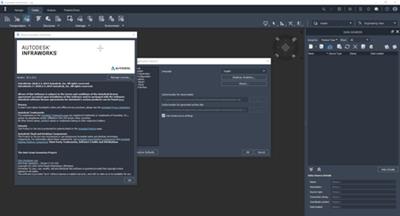
[/center]
Feel free to post your Autodesk InfraWorks 2020.2 Free Download, torrent, subtitles, free download, quality, NFO, Dangerous Autodesk InfraWorks 2020.2 Torrent Download, free premium downloads movie, game, mp3 download, crack, serial, keygen.