





9.01 GB | 23min 17s | mp4 | 1280X720 | 16:9
Genre:eLearning |Language:English
Files Included :
1 -Introduction - Course Preview.mp4 (29.3 MB)
1 -Drag of Decklid surface area.mp4 (134.45 MB)
2 -start to model the exhaust surfaces.mp4 (224.02 MB)
1 -Tangential connect of exhaust surface.mp4 (120.32 MB)
2 -Connection of exhaust surface with decklid surface.mp4 (77.64 MB)
3 -Use different techniques to create text plates surface - Section 01.mp4 (137.31 MB)
1 -Use different techniques to create text plates surface - Section 02.mp4 (71.85 MB)
2 -Simply simulate the intricate portion of the rear surface - Section -01.mp4 (77.4 MB)
3 -Simply simulate the intricate portion of the rear surface - Section -02.mp4 (155.81 MB)
1 -Modeliing of rear bumper surface.mp4 (207.24 MB)
2 -Integrity of the rear bumper's surface.mp4 (219.41 MB)
3 -Create a backend exhaust surface - section 01.mp4 (100.07 MB)
1 -Create a backend exhaust surface - section 02.mp4 (62.95 MB)
1 -Projection of the emission surface area.mp4 (148.51 MB)
2 -Bottom point of the rear bumber surface area - Section 01.mp4 (82.4 MB)
3 -Bottom point of the rear bumber surface area - Section 02.mp4 (61.87 MB)
1 -Surface door handle design.mp4 (205.77 MB)
1 -Modelling of an extraction vent.mp4 (308.15 MB)
2 -Curvy drift surface modelling.mp4 (148.3 MB)
1 -Start to model the vent surface of bonnet.mp4 (240.84 MB)
2 -Completion of the bonnet surface.mp4 (119.75 MB)
1 -starting off the Aero-Shape.mp4 (135.63 MB)
2 -Closing a small surafce area on bonnet portion.mp4 (17.99 MB)
3 -Modelling of the surface that holds the taillights with tangential connect.mp4 (88.52 MB)
4 -Complete's the tail light surface - section 01.mp4 (36.19 MB)
5 -Complete's the tail light surface - section 02.mp4 (26.12 MB)
6 -Complete's the tail light surface - section 03.mp4 (55.26 MB)
1 -Modeling images.zip (122.7 KB)
1 -Picture Import, Sizing, and Bonnet surface area formation.mp4 (319.34 MB)
1 -Complete the bottom portion of side surface.mp4 (53.67 MB)
2 -Model the front bumper area's holding surface - section 01.mp4 (61.63 MB)
3 -Model the front bumper area's holding surface - section 02.mp4 (22.36 MB)
4 -Design the structure of windscreen initially - Section 01.mp4 (133.94 MB)
1 -Design the structure of windscreen initially - Section 02.mp4 (67.37 MB)
2 -Estimating the surface area of the cowl panel - Section 01.mp4 (45.51 MB)
3 -Estimating the surface area of the cowl panel - Section 02.mp4 (108.37 MB)
4 -Modelling of front end glass surface - Section 01.mp4 (93.4 MB)
1 -Modelling of front end glass surface - Section 02.mp4 (36.75 MB)
2 -Modelling of the roof's surface and sculpting of the front-end glass.mp4 (127.21 MB)
3 -Modelling techniques for the side view mirror surface - Section 01.mp4 (127.96 MB)
1 -Modelling techniques for the side view mirror surface - Section 02.mp4 (89.85 MB)
1 -Make a holding surface for a side view mirror.mp4 (211.35 MB)
1 -Design of the side door's glass surface.mp4 (385.74 MB)
2 -Modelling of Rear light.mp4 (191.14 MB)
1 -Start modelling the headlight.mp4 (99.89 MB)
1 -Modelling of front head light with different LEDs.mp4 (315.96 MB)
2 -Start modelling a bumper grill's holding surface.mp4 (275.43 MB)
1 -Modelling the back end surface of a bumper grill.mp4 (104.95 MB)
2 -How to build and assemble the whole surface body - Section 01.mp4 (68.76 MB)
3 -How to build and assemble the whole surface body - Section 02.mp4 (97.8 MB)
4 -Completing a complete surface body - Section 01.mp4 (38.6 MB)
5 -Completing a complete surface body - Section 02.mp4 (33.9 MB)
6 -Completing a complete surface body - Section 03.mp4 (238.56 MB)
1 -Front end completion.mp4 (96.17 MB)
2 -Begins on the fender surface.mp4 (180.37 MB)
1 -Create a door surface on the top side.mp4 (93.13 MB)
2 -completion of the fender surface.mp4 (149.4 MB)
1 -How to Model the Curvy Front Surface.mp4 (80.18 MB)
2 -How to Model the Curvy Front Surface - Bottom portion.mp4 (98.8 MB)
3 -Starts from front head light.mp4 (156.56 MB)
1 -creating a bottom fender surface.mp4 (94.11 MB)
2 -creating a side door surface.mp4 (106.21 MB)
1 -Modelling a quater panel surface.mp4 (236.26 MB)
2 -Make a little surface area from the front.mp4 (47.46 MB)
3 -Make a little surface area from the back ends.mp4 (84.38 MB)
1 -Modelling a tangential bumper surface area.mp4 (225.85 MB)
2 -Continuity of a complex bumper profile.mp4 (134.11 MB)
3 -Construct a one-end bumper region with small surface steps.mp4 (199.73 MB)
4 -Completion of the bumper surface.mp4 (120.3 MB)
1 -continuation of the quarter surface.mp4 (65.6 MB)
2 -Finishing area of quarter panel.mp4 (69.76 MB)
3 -Decklid surface's beginning point.mp4 (182.75 MB)
4 -Create a complicated decklid by dividing 3D curves.mp4 (159.71 MB)]
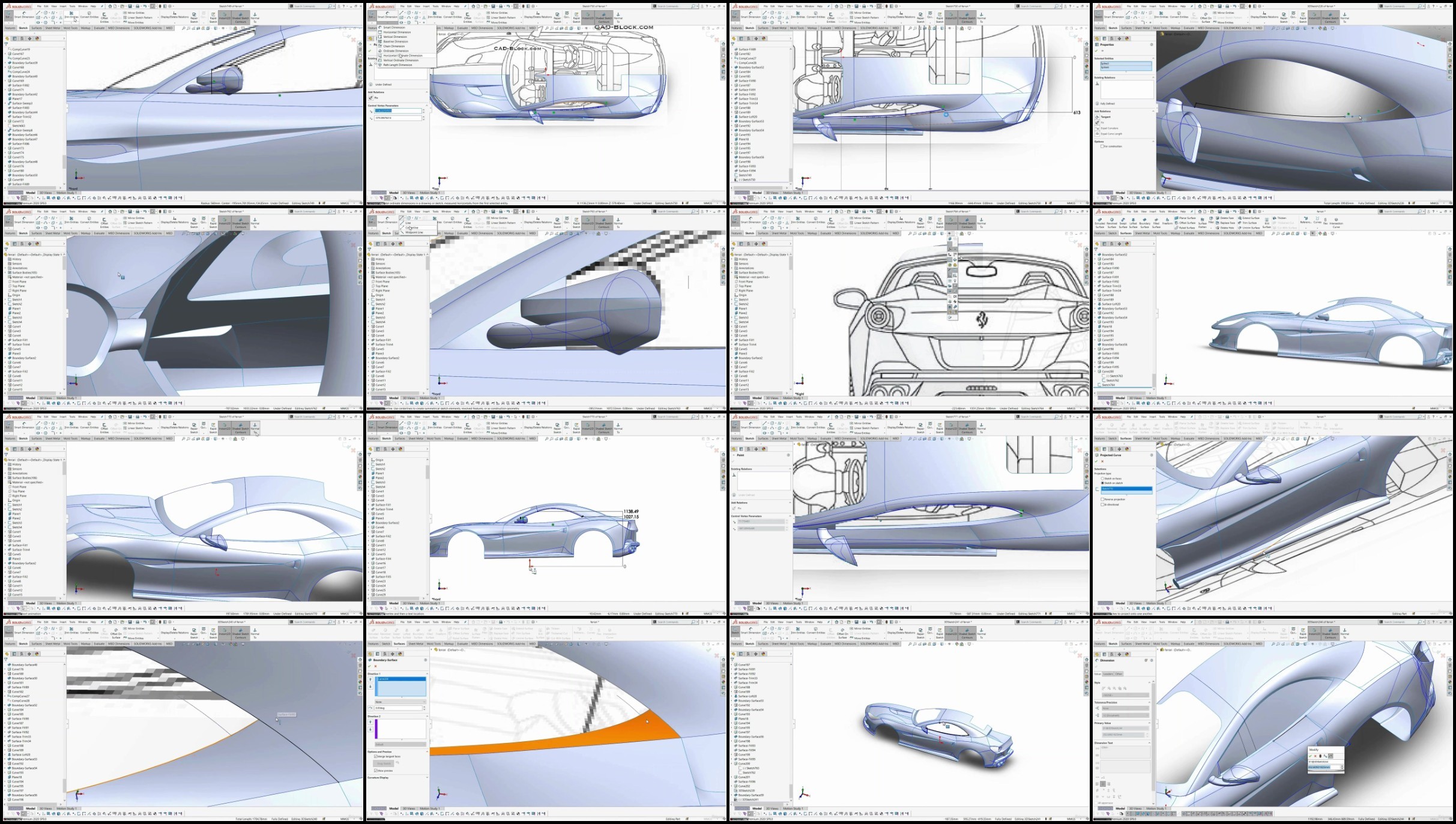
Screenshot
TurboBit
RapidGatorhttps://turbobit.net/jk8p4cpiuq8s.html
https://turbobit.net/156frbei0g79.html
https://turbobit.net/3hq6aslmzt6m.html
https://turbobit.net/jehmdg1lruxh.html
https://turbobit.net/glogelj5ekz6.html
https://turbobit.net/r8lpo4ylj4ri.html
https://turbobit.net/v0iteo3omkgk.html
https://turbobit.net/d4n3xjoogfrq.html
https://turbobit.net/iwpsj8um7s3w.html
https://turbobit.net/rnuxr7shct5i.html
https://rapidgator.net/file/daf27c2f751d3aef611661e4545d683d/
https://rapidgator.net/file/e30d012b6d7706e1c6c7a538ec667908/
https://rapidgator.net/file/1d0c013c202a5c9dff6c93065f5a0650/
https://rapidgator.net/file/8d0db79162f5792041b6b282ac9fe03b/
https://rapidgator.net/file/c11b6b1682080984b904bc6a1ebc1697/
https://rapidgator.net/file/724043561ebccfb4a5967d48aec69360/
https://rapidgator.net/file/7b909a341ed9372bde17b462623025e5/
https://rapidgator.net/file/4332e070604008a3f39e9bbc73d3e394/
https://rapidgator.net/file/6d33ef7ee6bdb285c085b1d3d402044c/
https://rapidgator.net/file/eaac37471854685e0eaa5ed33c51e15b/
Feel free to post your Automotive Surface Styling Course Using SolidWorks Free Download, torrent, subtitles, free download, quality, NFO, Dangerous Automotive Surface Styling Course Using SolidWorks Torrent Download, free premium downloads movie, game, mp3 download, crack, serial, keygen.