




Published 06/2022MP4 | Video: h264, 1280x720 | Audio: AAC, 44.1 KHz, 2 ChGenre: eLearning | Language: English + srt | Duration: 24 lectures (3h 29m) | Size: 2.15 GB
Students will be able to create engaging, professional and fun videos.
How to work with Characters, Images & Music
How to find copyright free images.
How to do Voiceover .
How to search for FONTs in for languages.
How to bring images to your screen (no hand, fading, scribbling.).
Advantages and disadvantages of different background (whiteboard, chalkboard, glass board and custom).
How to easily change Font with retyping your words.
Access to Doodly software.
Internet access.
A Mac or PC computer or laptop
Welcome to Doodly course for the bners.
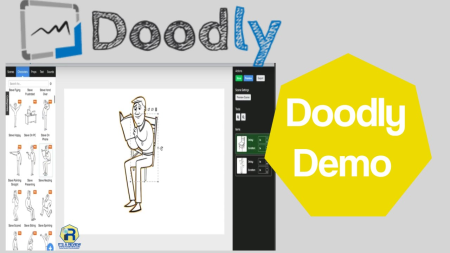
Doodly is a popular whiteboard animation software which allows anyone, regardless of technical or design skills to create professional, engaging, fun and realistic videos in minutes.
You'll be able to create your own professional doodle sketch videos in minutes not weeks.
Doodly software is popular with teachers, YouTubers, Freelancers, Video Editors, Artists, Online Course Creators.
This course is divided to 5 sections.
Section 1 - Introduction
You will learn about all the features in the first page in Doodly called "My Videos".
Section 2 - Backgrounds
This sections has short lessons with examples of all different backgrounds
Whiteboard
Blackboard
Green-board
Glass-board
Custom Image
Custom Color
We talk about advantages and disadvantages of each background.
Section 3 - Asset Panel
In this Section we talk in details about Characters, Props, Text and Sound.
In CHARACTER lesson you will learn
How to bring images to the scene
How to bring color to the image (even without Doodly rainbow add-on)
How to for the image to appear in the scene
How to make image less sharp (opacity)
How to place image at exact spot on the scene for different scenes
How to bring the sound to the image
Where to look for copyright free images and how to upload them to Doodly
In TEXT lesson you will learn
How to work with different Fonts
How to change Fonts easily (do not have to retype the text to change the font)
How to upload new Fonts to Doodly
How to search for different language fonts (for videos in different language)
In SOUND lesson we will cover
How to add music to your video
How to do VoiceOver
Technique to prepare your VoiceOver so you do not have to improvise
How to adjust the volume of the music and VoiceOver
Section 4 - Asset Settings Features
We will teach you about different features of the image.
You will learn how to
Flip and Rotate
Bring color to your video
Opacity
Enter and Exit Animation
Doodly Rainbow
Invert
X &Y Coordinates, Weight and Height
Section 5 - Different ways of brig image to the scene
You will learn different method of brig image to the scene
Fade in method
No hand method
Reveal image automatically
We are happy you are here!
Teacher
Youtuber
Online Course Creator
Freelancer
Online Marketer
Video Editor
HomePage:
Code:
https://anonymz.com/https://www.udemy.com/course/doodly-for-bners/DOWNLOAD
Code:
https://1dl.net/k7iypnl0um1w/Doodly_for_Beginners_.part1.rar.html
https://1dl.net/76q02srurd67/Doodly_for_Beginners_.part2.rar.html
https://1dl.net/dd4hl53h17i5/Doodly_for_Beginners_.part3.rar.html
Feel free to post your Doodly for Beginners Free Download, torrent, subtitles, free download, quality, NFO, Dangerous Doodly for Beginners Torrent Download, free premium downloads movie, game, mp3 download, crack, serial, keygen.