




MP4 | Video: h264, yuv420p, 1920x1080 | Audio: aac, 44100 Hz | Duration: 1h 57m | 3.52 GBGenre: eLearning | Language: English
Houdini height fields have many useful nodes to be able to quickly create a realistic terrain which can be use in Houdini or exported with a displacement map.
You can simulation eruption, isolate areas to create water, and many other terrain conditions. This two part course, taught by Charles Chorein, will get you up to speed on using the features in Houdini.
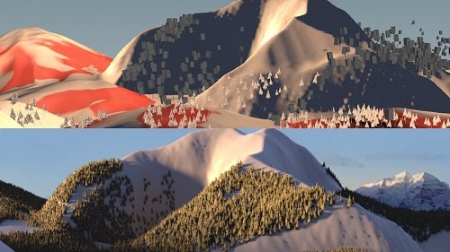
This course, part two of the duo, focuses on shading, lighting, rendering, and other technical aspects of Mantra aspect to enable us to render this shot. It includes an exploration of NVIDIA OptiX technology in Mantra for denoising renders, as well as the use of LPEs,and utility AOVs to help in creating the composite in Nuke.
Class 1: LPEs and OptiX
The course bs by creating a snow and tree shader with textures. An exploration of Light Path Expressions (LPEs), which provide extra layers of control for our AOVs in Nuke without a single line of coding. Finally, for those with an NVIDIA graphics card, how to use NVIDIA's OptiX technology in Mantra to denoise renders on the fly using the GPU.
Class 2: Dealing with noise
Samples and noise can be -consuming and difficult to handle. Mantra provides a lot of control to optimize and get the right values for noise-free renders. This class includes an exploration of multiple tests to examine the possibilities and obtain the right settings.
Class 3: Lighting
Now that all technical aspects of our scene have been addressed, we work towards matching the image reference as closely as possible in order to integrate the mountain into the background. An analysis of the lighting in the background image and how to re-create it with an HDRI, SkyLight and AreaLight.
Class 4: Final steps before rendering
Before launching our final render, we add additional AOVs which will allow us to be able to adjust and rebalance our image and lighting directly in Nuke without re-rendering. Don't under estimate Cryptomatte in Houdini Mantra....it's very simple to set up and extremely useful in Nuke for creating masks.
Class 5: Slap comp
With the renders complete, we export the camera in Houdini via an Alembic file and re-create the 3D setup in Nuke in order to match the camera movement. Creation of a slap comp in Nuke, rebalancing the image using ourAOVs, Cryptomatte, and multilights inorder to improve and finish the comp.
DOWNLOAD
Code:
https://1dl.net/hznq4k3il48k/SrH0CLZJ__M.Height_F.part1.rar.html
https://1dl.net/olvevl923djp/SrH0CLZJ__M.Height_F.part2.rar.html
https://1dl.net/8fvkhabgshup/SrH0CLZJ__M.Height_F.part3.rar.html
https://1dl.net/ydlpv33h29ix/SrH0CLZJ__M.Height_F.part4.rar.html
Feel free to post your FXPHD: Height Fields in Houdini, Part 2 Free Download, torrent, subtitles, free download, quality, NFO, Dangerous FXPHD: Height Fields in Houdini, Part 2 Torrent Download, free premium downloads movie, game, mp3 download, crack, serial, keygen.