





15.68 GB | 11min 38s | mp4 | 1280X720 | 16:9
Genre:eLearning |Language:English
Files Included :
1 -Meet Your Instructor Vit.mp4 (65.27 MB)
2 -Your Learning Adventure Begins!.mp4 (31.48 MB)
3 -Course Delivery.mp4 (52.54 MB)
4 -Regular Lesson Sructure.mp4 (28.22 MB)
5 -Introduction to Red Hat Distro.mp4 (32.15 MB)
6 -Installing VirtualBox (on Mac).mp4 (38.57 MB)
7 -RHEL Installation.mp4 (35.33 MB)
8 -RHEL Registration with Subscription Management.mp4 (13.46 MB)
9 -RHEL Virtual Machine Creation and Management with Cockpi.mp4 (52.59 MB)
10 -RHEL Customizing Hostnames and Creating Snapshots with C.mp4 (36.44 MB)
11 -Creating Lab Environments Installing and Configuring Vag.mp4 (71.92 MB)
12 -Linux History and Open-Source Development.mp4 (65.58 MB)
13 -Linux Advantages Collaborative Development and Rapid Fix.mp4 (283.74 KB)
14 -Linux Licensing Models.mp4 (95.48 MB)
15 -Components of Linux Distributions.mp4 (17.56 MB)
16 -Common Uses of Linux.mp4 (104.7 MB)
17 -Linux in the Cloud Overview.mp4 (65.34 MB)
18 -Linux Shell Basic Commands.mp4 (109.08 MB)
19 -Using Basic Commands.mp4 (82.88 MB)
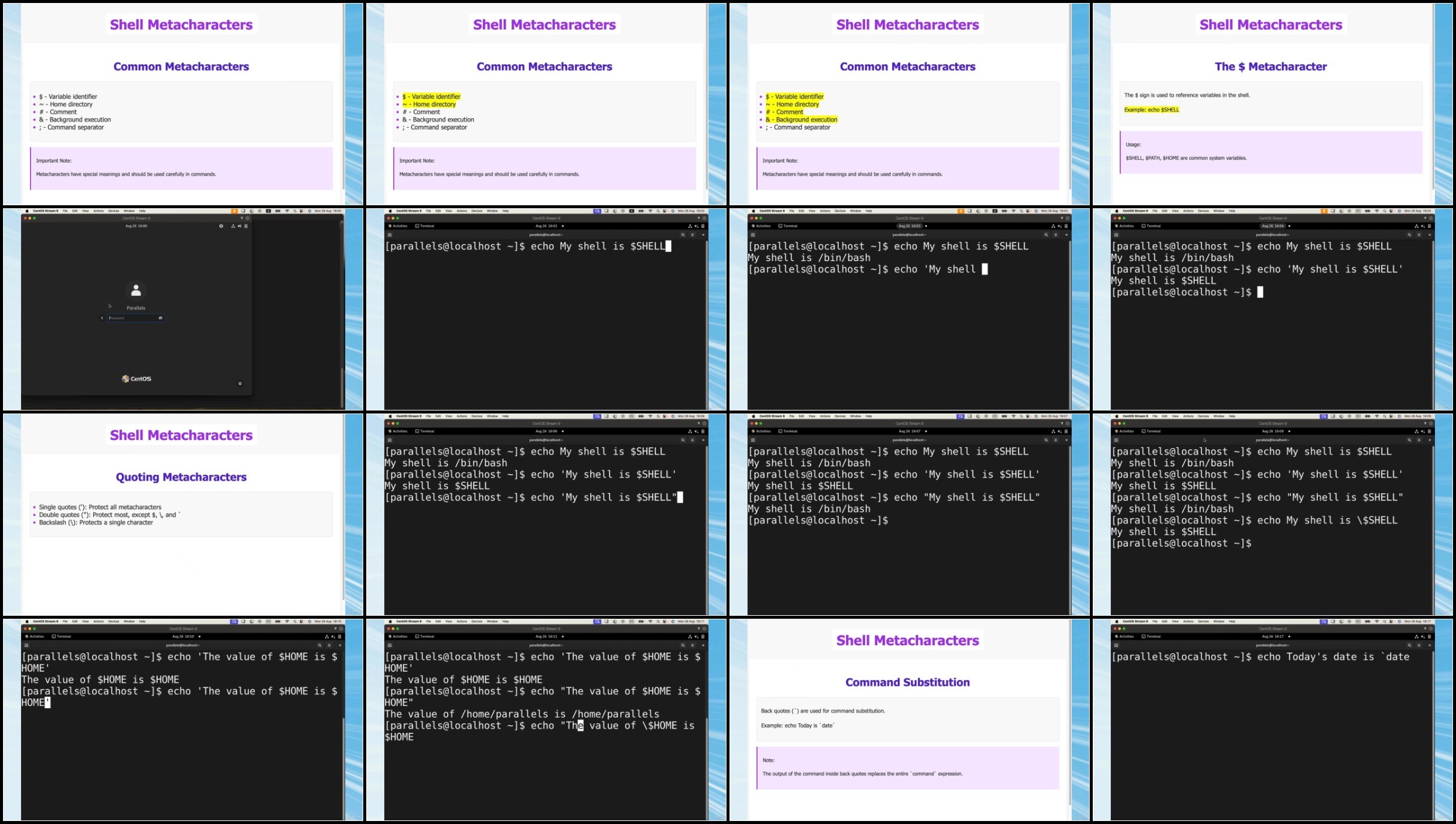
20 -Introduction to Shell Metacharacters in Linux.mp4 (181.65 MB)
21 -Linux Help Systems and Proper Shutdown Procedures.mp4 (149.23 MB)
22 -Navigating the Linux File System Understanding Directory.mp4 (121.45 MB)
23 -Linux Directory Navigation Essential Commands.mp4 (158.13 MB)
24 -Understanding Linux File Types.mp4 (153.44 MB)
25 -File Listing Techniques in Linux Exploring ls Command Op.mp4 (149.24 MB)
26 -Wildcard Metacharacters in Linux File Management.mp4 (118.22 MB)
27 -File Content Display in Linux.mp4 (80.11 MB)
28 -Text Processing with Grep in Linux.mp4 (123.52 MB)
29 -File and Directory Management Essential Linux Commands.mp4 (62.85 MB)
30 -File Manipulation Copying, Moving, and Removing.mp4 (40.07 MB)
31 -File Security Understanding and Utilizing File Attribute.mp4 (29.26 MB)
32 -Searching in Linux the 'find' Command for Efficient File.mp4 (18.02 MB)
33 -Searching in Linux Part 2.mp4 (8.82 MB)
34 -Searching in Linux Part 3.mp4 (8.5 MB)
35 -Searching in Linux Part 4.mp4 (21.11 MB)
36 -Hands-On Guide to Finding Large Files and Creating a Long.mp4 (53.25 MB)
37 -Setting up File Permissions Essential Linux Security Con.mp4 (40.45 MB)
38 -File Access Control with Linux Permissions.mp4 (38.11 MB)
39 -Setting Up Group Permissions in Linux.mp4 (23.25 MB)
40 -Hands-On Demo Configuring Linux Permissions for Team Dev.mp4 (15.18 MB)
41 -Introduction to Basic Navigation in Vim.mp4 (71.05 MB)
42 -Hands-on Practice Vim Installation and Basic Navigation.mp4 (32.13 MB)
43 -Fundamentals of Editing in Vim.mp4 (94.94 MB)
44 -Basic Vim Navigation.mp4 (19.08 MB)
45 -Advanced Vim Navigation.mp4 (41.79 MB)
46 -Vim Search and Replace.mp4 (29.15 MB)
47 -Vim Copy and Insert.mp4 (66.5 MB)
48 -Vim Fundamentals A Comprehensive Review of Core Concepts.mp4 (27.84 MB)
49 -Overview of Exercise Lessons What will we learn.mp4 (17.38 MB)
50 -Exercise 1 Editing in Vim.mp4 (54.4 MB)
51 -Exercise 2 Editing in Vim.mp4 (58.27 MB)
52 -Exercise 3 Editing in Vim.mp4 (96.09 MB)
53 -Exercise 4 Editing in Vim.mp4 (59.28 MB)
54 -Navigating and Editing Multiple Files in Vim.mp4 (28.1 MB)
55 -Searching the needed info with grep&wc.mp4 (15.29 MB)
56 -Cat and output redirection.mp4 (7.9 MB)
57 -Using pipes.mp4 (2.92 MB)
58 -Processes revealed.mp4 (44.56 MB)
59 -Processes and jobs.mp4 (29.99 MB)
60 -Exploring all running processes with top command.mp4 (97.55 MB)
61 -Understanding process states.mp4 (15.87 MB)
62 -Changing process priority with nice.mp4 (27.19 MB)
63 -Controlling processes with signals.mp4 (43.02 MB)
64 -Changing password and working with PATH.mp4 (13.9 MB)
65 -Special characters and command-line keystrokes.mp4 (29.13 MB)
66 -Chaining operators.mp4 (22.08 MB)
67 -Sed and awk.mp4 (13.46 MB)
68 -Sed and awk Part 2.mp4 (14.78 MB)
69 -Performing exit, reboot or shutdown on the system.mp4 (7.71 MB)
70 -Using BASH history.mp4 (36.39 MB)
71 -Using aliases to create your own commands.mp4 (11.48 MB)
72 -Watching files updates live with watch command.mp4 (13.89 MB)
73 -Gaining administrative privileges with sudo command.mp4 (52.65 MB)
74 -Managing packages with rpm command.mp4 (26.62 MB)
75 -Managing packages with rpm command.mp4 (25.15 MB)
76 -Installing and modifying packages with rpm command.mp4 (73.72 MB)
77 -Viewing pgp keys and verifying package attributes.mp4 (23.26 MB)
78 -YUM package manager Part 1.mp4 (37.5 MB)
79 -YUM package manager Part 2.mp4 (32.57 MB)
80 -YUM package manager Part 3.mp4 (44.43 MB)
81 -Configuring hostname.mp4 (17.27 MB)
82 -IPv4 concepts and traceroute command usage.mp4 (93.5 MB)
83 -Using 'ip' command.mp4 (32.37 MB)
84 -Validating and Troubleshooting Network Configuration.mp4 (57.53 MB)
85 -Practice Lab Examining Network Configuration.mp4 (12.88 MB)
86 -Configuring Networking with nmcli.mp4 (66.56 MB)
87 -Validating Network Configuration (with Guided Exercise)(.mp4 (56.72 MB)
88 -Editing Network Configuration Files (with Guided Exercise.mp4 (58.98 MB)
89 -Lab Managing Networking.mp4 (19.82 MB)
90 -Users Intro, id command, passwd file.mp4 (42.51 MB)
91 -Users Gaining Superuser Access su and sudo commands.mp4 (34.9 MB)
92 -Users Configuring sudo.mp4 (27.87 MB)
93 -Users Guided Exercise Using sudo.mp4 (44.01 MB)
94 -Users Using useradd, userdel and usermod.mp4 (92.44 MB)
95 -Users Practice excersise with useradd, userdel and userm.mp4 (26.72 MB)
96 -Groups groupadd, groupdel and groupmod.mp4 (34.21 MB)
97 -Groups adding users to groups.mp4 (19.03 MB)
98 -Users working with passwords.mp4 (100.8 MB)
99 -Users Practice Working with passwords.mp4 (43.51 MB)
100 -Lab Managing Users and Groups.mp4 (22.82 MB)
101 -File permissions.mp4 (112.18 MB)
102 -Changing Permissions for Files and Directories.mp4 (35.76 MB)
103 -Changing Ownership for Files and Directories.mp4 (29.71 MB)
104 -Guided Exercise Managing File System Permissions.mp4 (24.71 MB)
105 -Umask and Managing Default Permissions and File Access.mp4 (58.26 MB)
106 -Guided Exercise Umask and Managing Default Permissions.mp4 (55.09 MB)
107 -Lab Controlling Access to Files.mp4 (38.68 MB)
108 -Listing Processes and Process States.mp4 (70.77 MB)
109 -Controlling Jobs.mp4 (51.44 MB)
110 -Killing Processes.mp4 (49.84 MB)
111 -Monitoring process activity.mp4 (61.77 MB)
112 -Lab Monitoring and Managing Processes.mp4 (65.23 MB)
113 -Controlling Services and Daemons.mp4 (67.28 MB)
114 -Controlling Services and Daemons Guided Exercises.mp4 (46.71 MB)
115 -Configuring SSH key-based authentication.mp4 (51.82 MB)
116 -Configuring and securing SSH.mp4 (56.68 MB)
117 -Describing System Log Architecture.mp4 (78.29 MB)
118 -Reviewing Syslog Files.mp4 (57.31 MB)
119 -Reviewing System Journal Entries.mp4 (71.74 MB)
120 -Preserving the System Journal.mp4 (56.97 MB)
121 -Maintaining Accurate Time.mp4 (53.82 MB)
122 -Lab Analyzing and Storing Logs.mp4 (37.06 MB)
123 -Archiving and Compressing Files.mp4 (47.67 MB)
124 -Transferring Files Between Systems Securely.mp4 (23.99 MB)
125 -Using 'at' Package.mp4 (39.4 MB)
126 -Scheduling Recurring Tasks with 'crontab'.mp4 (35.06 MB)
127 -Scheduling Recurring System Jobs.mp4 (38.55 MB)
128 -Guided Exercise Scheduling Recurring System Jobs.mp4 (20.25 MB)
129 -Managing Temporary Files.mp4 (46.66 MB)
130 -Guided Exercise Managing Temporary Files.mp4 (22.02 MB)
131 -Adjusting Tuning Profiles.mp4 (56.53 MB)
132 -Adjusting Process Scheduling.mp4 (36.75 MB)
133 -Guided Exercise Changing Process Scheduling.mp4 (17.23 MB)
134 -Securing Files with ACLs.mp4 (44.46 MB)
135 -Guided Exercise Securing Files with ACLs.mp4 (27.43 MB)
136 -Adding Partitions, File Systems, and Persistent Mounts.mp4 (89.66 MB)
137 -Guided Exercise Adding Partitions, File Systems, and Persistent Mounts.mp4 (14.79 MB)
138 -Managing Swap Space.mp4 (38.93 MB)
139 -Lab Managing Basic Storage.mp4 (60.4 MB)
140 -Managing Logical Volumes.mp4 (72.72 MB)
141 -Extending Logical Volumes.mp4 (38.3 MB)
142 -Guided Exercise Extending Logical Volumes.mp4 (17.17 MB)
143 -Lab Managing Logical Volumes.mp4 (51.61 MB)
144 -Managing Layered Storage with Stratis.mp4 (43.96 MB)
145 -Guided Exercise Managing Layered Storage with Stratis.mp4 (38.02 MB)
146 -Compresson and Deduplicating Storage with VDO.mp4 (45.67 MB)
147 -Lab Implementing Advanced Stirage Features.mp4 (103.14 MB)
148 -Accessing Network-Attached Storage.mp4 (27.25 MB)
149 -Guided Exercise Accessing Network-Attached Storage.mp4 (23.38 MB)
150 -Describing the Boot Process.mp4 (56.61 MB)
151 -Guided Exercise Selecting the Boot Target.mp4 (23.08 MB)
152 -Guided ExerciseResetting the Root Password Using Debug Mode and Logs.mp4 (71.9 MB)
153 -Lab Controlling the Boot Process.mp4 (29.24 MB)
154 -Describing Networking Concepts.mp4 (88.78 MB)
155 -IPv4 settings Defining subnets.mp4 (95.58 MB)
156 -IPv4 Guided Exercises Public and Private Adresses.mp4 (61.86 MB)
157 -Lab Planning an IPv4 network.mp4 (89.28 MB)
158 -Using OpenSSL on Red Hat Linux to Create, Operate, and Secure a Certificates.mp4 (36.87 MB)
159 -Creating Certificate Authority (Self-Signed).mp4 (25.92 MB)
160 -Hands-On Lab on OpenSSL.mp4 (51.29 MB)
161 -Your First Bash Script Part 1.mp4 (49.91 MB)
162 -Your First Bash Script Part 2.mp4 (41.84 MB)
163 -Bash Syntax Fundamentals Part 1.mp4 (48.08 MB)
164 -Bash Syntax Fundamentals Part 2.mp4 (38.67 MB)
165 -Bash Syntax Fundamentals Part 3.mp4 (26.67 MB)
166 -Working with Files and Permissions Part 1.mp4 (59.33 MB)
167 -Working with Files and Permissions Part 2.mp4 (19.4 MB)
168 -Working with Files and Permissions Part 3.mp4 (54.82 MB)
169 -Script Example File Operations and Bash Concepts.mp4 (74.76 MB)
170 -'if' Statement Part 1.mp4 (25.84 MB)
171 -'if' Statement Part 2.mp4 (69.11 MB)
172 -Loops in Bash Part 1.mp4 (27.24 MB)
173 -Loops in Bash Part 2.mp4 (48.99 MB)
174 -Hands-on Lab Interactive Menu Script Part 1.mp4 (38.16 MB)
175 -Hands-on Lab Interactive Menu Script Part 2.mp4 (66.13 MB)
176 -Hands-on Lab Linux Administration Interactive Menu Scrip.mp4 (43.15 MB)
177 -Hands-on Lab Linux Administration Interactive Menu Scrip.mp4 (50.59 MB)
178 -Functions in Bash Part 1.mp4 (37.74 MB)
179 -Functions in Bash Part 2.mp4 (52.46 MB)
180 -Error Handling and Debugging in Bash Part 1.mp4 (68.54 MB)
181 -Error Handling and Debugging in Bash Part 2.mp4 (63.06 MB)
182 -Error Handling and Debugging in Bash Part 3.mp4 (69.2 MB)
183 -Advanced Bash Scripting Techniques - Examples Explained.mp4 (50.23 MB)
184 -Advanced Bash Scripting Techniques - Examples Explained.mp4 (55.49 MB)
185 -Advanced Bash Scripting Techniques - Examples Explained.mp4 (78.31 MB)
186 -Advanced Bash Scripting Techniques - Practical Example Wa.mp4 (46.75 MB)
187 -Bash Script Optimization and Performance Part 1.mp4 (37.39 MB)
188 -Bash Script Optimization and Performance Part 2.mp4 (61.01 MB)
189 -Bash Script Optimization and Performance Part 3.mp4 (52.67 MB)
190 -Bash Script Optimization and Performance Part 4.mp4 (49.89 MB)
191 -Bash Script Optimization and Performance Practical Examp.mp4 (36.64 MB)
192 -Writing Simple Bash Scripts.mp4 (37.78 MB)
193 -Guided Exercise Writing Your First Script.mp4 (10.35 MB)
194 -Using Loops.mp4 (44.66 MB)
195 -Guided Exercise Using Loops.mp4 (10.92 MB)
196 -Describing a Simple Regular Expression.mp4 (32.47 MB)
197 -Guided Exercise Using grep with RegEx.mp4 (15.65 MB)
198 -Using grep with RegEx.mp4 (20.08 MB)
199 -Lab Your First Script.mp4 (21.38 MB)
200 -Building Scripts Using Variables and Redirecting InputO.mp4 (46.71 MB)
201 -Building Scripts the if-then statements.mp4 (31.83 MB)
202 -Building Scripts Trying the Test command Using Comparis.mp4 (45.02 MB)
203 -Building Scripts Using File Comparison.mp4 (48.97 MB)
204 -Compound Testing Working wit Advanced If-Then Statements.mp4 (19.54 MB)
205 -A Practical Example.mp4 (21.35 MB)
206 -Looping with the 'for' statement.mp4 (15 MB)
207 -Looping with the 'for' statement Part 2.mp4 (25.5 MB)
208 -Using 'while' and 'until' commands Using Loops.mp4 (20.32 MB)
209 -Using Loops Part 2.mp4 (27.89 MB)
210 -Practical Examples Using Loops.mp4 (23.74 MB)
211 -Passing Parameters.mp4 (17.89 MB)
212 -Using Special Parameter Variables.mp4 (21.89 MB)
213 -Working with Options.mp4 (35.5 MB)
214 -Using Read Command.mp4 (18.12 MB)
215 -A Practical Example.mp4 (37.08 MB)
216 -Understanding Input and Output.mp4 (47.17 MB)
217 -Redirecting Output in Scripts.mp4 (24.08 MB)
218 -ReadWrite file descriptors.mp4 (23.16 MB)
219 -Supressing Command Output Using temp files Logging Mess.mp4 (27.01 MB)
220 -A practical example using input and output.mp4 (31.68 MB)
221 -Signaling the Bash shell.mp4 (43.76 MB)
222 -Using traps.mp4 (16.49 MB)
223 -Running scripts in background.mp4 (21.07 MB)
224 -Running Scripts without a Hang-up.mp4 (4.88 MB)
225 -Controlling the Job Viewing Jobs.mp4 (7.66 MB)
226 -Installing SuSe Linux.mp4 (78.89 MB)
227 -Managing users with YaST.mp4 (43.79 MB)
228 -Adding and modifying users and groups with YaST.mp4 (21.12 MB)
229 -Configuring language and time settings in YaST.mp4 (72.79 MB)
230 -Introduction.mp4 (11.85 MB)
231 -Get to know YaST.mp4 (16.76 MB)
232 -Understanding SuSEconfig.mp4 (14.1 MB)
233 -Administration and Monitoring with udevadm.mp4 (22.88 MB)
234 -Understanding and Monitoring IRQ.mp4 (26 MB)
235 -UDEV Configuration and Device Management.mp4 (21.07 MB)
236 -Kernel Module Management Using modprobe and rmmod.mp4 (20.56 MB)
237 -Installation and Package Management Troubleshooting.mp4 (72.66 MB)
238 -USB Device Detection and Management in Linux Using lsusb and udevadm.mp4 (25.74 MB)
239 -Using dmesg for System Monitoring and Troubleshooting in Linux.mp4 (29.21 MB)
240 -Understanding Linux Run Levels System Maintenance and Troubleshooting in Linux.mp4 (30.79 MB)
241 -ls-pci Command Capabilities for System Hardware Analysis.mp4 (17.55 MB)
242 -Manual File System Mounting and systemd Behavior.mp4 (34.36 MB)
243 -Log Filtering with grep Time Range Extraction.mp4 (51.7 MB)
244 -Command Redirection Effects on Non-existent Files.mp4 (32.38 MB)
245 -Regular Expressions for File Renaming on Transforming Output.mp4 (22.26 MB)
246 -Man Command Usage for Displaying Section 1 Manual Pages.mp4 (25.74 MB)
247 -Hard and Symbolic Links Creation Using ln Command.mp4 (62.89 MB)
248 -Grep Command with -v Option for Inverting Match Output.mp4 (28.03 MB)
249 -Default File System Created by mkfs Command.mp4 (58.23 MB)
250 -SystemV init configuration What happens when run levels change.mp4 (21.5 MB)
251 -Debian package management How to locate package owners.mp4 (12.66 MB)
252 -Archive manipulation What remains after gunzip on tgz files.mp4 (24.21 MB)
253 -BIOS boot sequence Understanding the initial startup process.mp4 (58.05 MB)
254 -DPKG package management Removing configuration files on uninstall.mp4 (62.08 MB)
255 -Nice Levels in Linux Process Management On What and How.mp4 (22.69 MB)
256 -Bash Output Redirection Techniques On Standard Streams.mp4 (128.3 MB)
257 -Current Working Directory in Bash On Methods to Display.mp4 (88.5 MB)
258 -Identifying Root-Owned Processes On Effective Commands.mp4 (12.11 MB)
259 -Extracting User Information from etc passwd On Techniques.mp4 (47.22 MB)
260 -Linux Command Path and the Which Command on Executables.mp4 (28.4 MB)
261 -Package Management Uninstallation Retaining Config Files.mp4 (18.31 MB)
262 -Init Process ID in Unix-like Systems and Its Significance.mp4 (22.03 MB)
263 -Preventing Faulty Kernel Module Loading at System Boot.mp4 (31.29 MB)
264 -Zypper Package Manager and Pattern-Based Installation.mp4 (40.61 MB)
265 -VI Editor File Saving Commands in Unix-like Systems.mp4 (40.73 MB)
266 -Extracting User Data from etc passwd with Cut Command.mp4 (15.73 MB)
267 -VI Editor Reverse Search and Text Manipulation.mp4 (85.51 MB)
268 -Process Signals and Job Control in Unix-like Systems.mp4 (30.14 MB)
269 -Command Output Redirection Using the tee Command.mp4 (60.69 MB)
270 -GRUB2 Standard Installation Files What You Need to Know.mp4 (18.14 MB)
271 -Advanced File Search Techniques Locating Root-Owned Files.mp4 (96.19 MB)
272 -Vi Command for Deleting Multiple Lines in Unix Systems.mp4 (33.32 MB)
273 -Default Reserved Space Percentage in Ext4 File Systems.mp4 (22.35 MB)
274 -Here Document Syntax for Multiline Input in Linux.mp4 (37.2 MB)
275 -Modifying File System Check Interval on Ext3 Systems.mp4 (25.57 MB)
276 -Converting Windows to Linux Line Endings Using tr.mp4 (68.22 MB)
277 -SIGINT Signal Sent by CTRL-C and Process Management.mp4 (18.18 MB)
278 -GRUB Installation Command for First Disk and Partitions.mp4 (48.04 MB)
279 -APT-GET Dist-Upgrade for Updating All Installed Packages.mp4 (59.8 MB)
280 -Listing Installed Packages with RPM Query All Command.mp4 (23.54 MB)
281 -Installing GRUB2 on Third Hard Disk Command and Usage.mp4 (33.18 MB)
282 -Background Processes Understanding the Ampersand in Shell.mp4 (15.23 MB)
283 -VM Cloning on What to Modify for System Security.mp4 (27.39 MB)
284 -Process Niceness Maximum Value for Regular Users.mp4 (34.33 MB)
285 -XFS File System Recovery Methods After Power Outage.mp4 (12.61 MB)
286 -Valid Reasons Not to Use Hardlinks in Linux Systems.mp4 (21.07 MB)
287 -Standard Location of Man Pages in Linux File System.mp4 (38.28 MB)
288 -Removing Directory with Special Characters in Name.mp4 (30.61 MB)
289 -Understanding Shell Command Processing with 'type'.mp4 (9.85 MB)
290 -Displaying Inode Numbers Using 'ls' and 'stat' Commands.mp4 (11.03 MB)
291 -Viewing Compressed Archives with 'tar' and 'gzip'.mp4 (62.23 MB)
292 -Dividing Files into Segments Using the 'split' Command.mp4 (76.52 MB)
293 -Understanding Initramfs in the Linux Boot Process.mp4 (63.11 MB)
294 -YUM Repository Configuration How are repos managed.mp4 (65.11 MB)
295 -Linux Boot Process What is the initial program started.mp4 (39.11 MB)
296 -File Content Search How does grep use regular expressions.mp4 (37.96 MB)
297 -Hard Links in Backups What advantages do they offer.mp4 (144.04 MB)
298 -Limiting Search Depth with find Command max-depth Option.mp4 (18.84 MB)
299 -Comparing Linux Containers and Virtual Machines Key Differences.mp4 (29.53 MB)
300 -Alternative Device Identifiers in etcfstab UUID and Label.mp4 (23.31 MB)
301 -VI Command to Insert Deleted Content Below Current Line.mp4 (26.64 MB)
302 -Understanding etcfstab Structure Number of Fields in etcfstab.mp4 (22.12 MB)
303 -Executing Shell Scripts Without Subshells How and Why.mp4 (23.11 MB)
304 -Restricting Shell Login How to prevent interactive sessions.mp4 (130.81 MB)
305 -TCP Wrapper Configuration Limiting access to network services.mp4 (87.82 MB)
306 -Private IPv4 Networks IANA reserved ranges for local routing.mp4 (50.21 MB)
307 -Braille Display Technology Tactile interface for visually impaired.mp4 (26.47 MB)
308 -User Primary Group Assignment Location in Linux system files.mp4 (30.44 MB)
309 -Understanding IPv6 Address Structure and Validation.mp4 (18.51 MB)
310 -IPv6 Header Hop Limit Field Function and Behavior.mp4 (11.88 MB)
311 -Email Forwarding Configuration Using forward File.mp4 (32.21 MB)
312 -IPv4 Subnetting Principles and Host Address Calculation.mp4 (39.74 MB)
313 -Process ID in Linux - What does echo $$ command display.mp4 (23.11 MB)
314 -DNS Configuration - Keywords in etcresolv conf file.mp4 (28.25 MB)
315 -Environment Variables - Command to display all variables.mp4 (31.76 MB)
316 -Network Services - File for enabling and disabling services.mp4 (23.27 MB)
317 -User Account Creation - Options for useradd command.mp4 (70.76 MB)
318 -DNS Query Commands - Understanding dig command output.mp4 (24.3 MB)
319 -Systemd Timers - Command to display active timers.mp4 (29.86 MB)
320 -IP Routing - Packet handling based on routing table.mp4 (127.44 MB)
321 -DNS Debugging Using the Dig Command on Linux Systems.mp4 (18.96 MB)
322 -Password Storage and Shadow Passwords in Linux Systems.mp4 (51.29 MB)
323 -SSH Client Configuration Files and Custom User Settings.mp4 (16.96 MB)
324 -Network Manager Behavior and Configuration in Linux.mp4 (58.15 MB)
325 -File System Comparison Operators for Test Command in Linux.mp4 (85.9 MB)
326 -Journalctl Time Frame Parameters for Log Queries.mp4 (31.72 MB)
327 -Network Manager States for System Connectivity.mp4 (49.89 MB)
328 -Print Queue Commands for Displaying Job Lists.mp4 (25.1 MB)
329 -User Account Modification with Chage Command.mp4 (43.85 MB)
330 -Virtual Machine Video Output Protocol and SPICE Function.mp4 (21.14 MB)
331 -X11 Configuration File Structure in xorg conf.mp4 (15.68 MB)
332 -IPv6 Characteristics and Broadcast Address Support.mp4 (71.03 MB)
333 -Bash Login Shell File Reading Order and bashrc Usage.mp4 (47.48 MB)
334 -Network Manager WiFi Connection Creation with nmcli.mp4 (33.08 MB)
335 -NSSwitch Configuration File Syntax and Host Resolution.mp4 (34.96 MB)
336 -Network Manager Connection Types and Configuration.mp4 (37.97 MB)
337 -Global Shell Variables Configuration in etc profile.mp4 (75 MB)
338 -Locale Configuration Variables in locale conf File.mp4 (56.54 MB)
339 -Sudo Configuration Syntax and User Permissions.mp4 (54.88 MB)
340 -SPICE Protocol Features for Remote Computing.mp4 (46.96 MB)
341 -Systemd Timer Unit Structure and Configuration.mp4 (29.33 MB)
342 -Bash Script Output Analysis with While Loop and Read.mp4 (21.8 MB)
343 -Date Command Functionality in Linux Systems.mp4 (73.21 MB)
344 -Find Command Usage for Root-Owned SetUID Files.mp4 (47.1 MB)
345 -Time Zone Configuration for Canadian Eastern Time.mp4 (18.29 MB)
346 -User Profile Configuration and profile File Syntax.mp4 (55.81 MB)
347 -Standard TCP Port for HTTPS Service.mp4 (20.03 MB)
348 -Elements Present in etc group File for Linux Systems.mp4 (31.6 MB)
349 -Primary Function of SSH Host Keys in Secure Communication.mp4 (37.92 MB)
350 -Shell Variable Assignment with Command Substitution.mp4 (56.51 MB)
351 -Display Manager Tasks What are the primary responsibilities.mp4 (37.19 MB)
352 -Ping Command Operation How does it function by default.mp4 (18.12 MB)
353 -Chrony Configuration Options Which one accelerates initial sync.mp4 (65.84 MB)
354 -Systemd-journald Features What are its key capabilities.mp4 (98.72 MB)
355 -Core File Size Restrictions How to set limits using ulimit.mp4 (15.33 MB)
356 -ETC shadow File What critical information does it store.mp4 (19.73 MB)
357 -Bash Variables and Functions How to list all defined ones.mp4 (14.69 MB)
358 -Cron Access Control What happens when config files are absent.mp4 (55.32 MB)
359 -AT Command Access Restriction How to prevent user scheduling.mp4 (44.94 MB)
360 -Bash Shebang Line What are its key functions in scripts.mp4 (59.39 MB)
361 -SSH Key Pairs What are their essential properties and usage.mp4 (64.07 MB)
362 -Using 'udevadm' and 'proc'.mp4 (28.86 MB)
363 -udev Configuration Location Loading kernel modules.mp4 (29 MB)
364 -Querying udev database Listing USB devices.mp4 (28.19 MB)
365 -Using dmesg to view kernel ring buffer.mp4 (41.13 MB)]
Screenshot
RapidGator
NitroFlarehttps://rapidgator.net/file/171f6c90d140881716cf1413a4753c5d/
https://rapidgator.net/file/b0f96c582d50d4199a9ec16c4ecf5a3f/
https://rapidgator.net/file/294ddb096240d67119015528f17a30f7/
https://rapidgator.net/file/0a7d04dda5e5c5e191685edbb503c7a5/
https://rapidgator.net/file/890ecf65461a320614d2f587d845383f/
https://rapidgator.net/file/25d92d3e1e736b67917aaef1de6c85ec/
https://rapidgator.net/file/b2fc69ab585ffea830c178b4164a2142/
https://rapidgator.net/file/8faa37f8acba5a7b373f7794219b8d14/
https://rapidgator.net/file/f7df1bb3ea83e4f30188390ebd9d8de8/
https://rapidgator.net/file/47d0008bdd2b6ee21770eea44fca1f79/
https://rapidgator.net/file/4b5b502e297dbeb1b3117893f0b1a414/
https://rapidgator.net/file/ccd5133afa42f8cccfa8343183da8138/
https://rapidgator.net/file/660218f1c16d23ed90e5db030931ba79/
https://rapidgator.net/file/af0607372c81e9b665ee1c744621f648/
https://rapidgator.net/file/08518cbb7f6dba30aaa4227e101fa17d/
DDownloadhttps://nitroflare.com/view/A66FD1D5705BFCC/
https://nitroflare.com/view/2B249404BC51C67/
https://nitroflare.com/view/9478F476023EF72/
https://nitroflare.com/view/939C045EE23C802/
https://nitroflare.com/view/2B7AB0D61BE5045/
https://nitroflare.com/view/AEE02FCB951485E/
https://nitroflare.com/view/38BFA70E74F9247/
https://nitroflare.com/view/B6BAB740F832375/
https://nitroflare.com/view/8C51D1BF766FDA1/
https://nitroflare.com/view/E56AF6AED0C9A2C/
https://nitroflare.com/view/4EF8693DE98BFF6/
https://nitroflare.com/view/1B471628D0F69E9/
https://nitroflare.com/view/D2E9E557908DC7C/
https://nitroflare.com/view/F7DACB9AC05EDB9/
https://nitroflare.com/view/D252AA92AFFAD6B/
https://ddownload.com/h1pav6lw6ked
https://ddownload.com/ec1gvwuwq2rd
https://ddownload.com/y86knurh9l1u
https://ddownload.com/q7ecovqw2zkt
https://ddownload.com/n7g90334xokr
https://ddownload.com/nmaxv9zoh21g
https://ddownload.com/iazeuv8phsmt
https://ddownload.com/t25q7mkt2vvo
https://ddownload.com/gacufzifo95l
https://ddownload.com/xlhngd239iyq
https://ddownload.com/ezpyfrtbaqr1
https://ddownload.com/sqnwmq9z5mst
https://ddownload.com/j43gi4v5fxul
https://ddownload.com/cr6x6ffdtskh
https://ddownload.com/kexavdgt9ee2
Feel free to post your Master CompTIA Linux+ Complete Zero-to-SysAdmin Course Free Download, torrent, subtitles, free download, quality, NFO, Dangerous Master CompTIA Linux+ Complete Zero-to-SysAdmin Course Torrent Download, free premium downloads movie, game, mp3 download, crack, serial, keygen.