




Published 12/2022
MP4 | Video: h264, 1280x720 | Audio: AAC, 44.1 KHz
Language: English | Size: 1.24 GB | Duration: 2h 35m
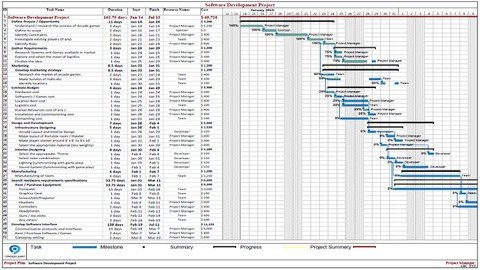
Learn to Generate Professional Project Plan through MS Project - beginning to completion
What you'll learn
MS Project software understanding (Dashboard , Views, Ribbon etc..)
Setting Calendar ( customized timing , resources timing, leaves/off days)
Scheduling Modes (Auto Vs Manual)
Entering Task (Making summary tasks, indentation, setting durations..)
Predecessors ( 4 types discussion with example..)
Entering Resources (Resources type, their rates, utilization.)
Resource assignment (Auto and customized, Leveling..)
Costing ( entering auto and fixed costing)
Baseline Plan Vs Actual (Overview of baseline with examples)
Formal Formatting ( Time scale, Best Look! Highly Formal View)
Logo Insertion.
Multiple views overview
Requirements
MS Project V16 or later for practicing
Description
The goal of this course is to learn how to generating a Professional Project plan through MS Project. It has been defined in 8 videos from very beginning to completion.We have run through 1 complete project plan in course through these videos and at the end you will be Master on generating Professional Project Plans on MS Project. It will cover Tasks Management, Resources Management, Cost Management and Integrating between various views and much more.This course will enable you to manage your projects through BASELINE PLAN Vs ACTUAL where breaking down your project tasks into subtasks and keeping realistic timelines in mind, you can see issues early on before they become major issues. you will be able to track your activities Plan Vs Actual. And with its ability to track, change, and report on just about every key metric, you'll always have the information you need at your fingertips to keep your end users up to date. This will be very handy for companies to get desired results.Formatting is very necessary in any presentation, and projects have their OWN LANGUAGE to tell! and we will learn that how to make your project more FORMAL, PROFESSIONAL and BEAUTIFUL!
Overview
Section 1: Introduction and Task Management
Lecture 1 Dashboard Overview, Setting Calendrer , Entering Tasks
Lecture 2 Creating Summary task , Right-Left Indentation
Lecture 3 Predecessors detail & Timescale
Section 2: Resource & Cost Management
Lecture 4 Resource types , Resource Sheet and Costing
Lecture 5 Recourse Assignment & Leveling
Section 3: Plan Vs Actual
Lecture 6 6. Setting Baseline Vs Actual Table
Lecture 7 7. Performing Actual against Baseline
Section 4: Professional Formatting, Overview of Multiple Views and Reporting
Lecture 8 8. Formatting and Views Overview
Students,Project managers,Business Owners - Support your tenders/bid with professional Project Plan to enhance SUCCUSS!,IT professionals,Companies looking for the employees training on Project Management
Homepage
Code:
https://www.udemy.com/course/mastering-ms-project-to-develop-professional-project-plans/
Code:
https://1dl.net/qoc8qpyljvfz
https://1dl.net/zpey0tx47wus
To Support My Work Buy Premium From My Links.
Feel free to post your Mastering Ms Project To Develop Professional Project Plans Free Download, torrent, subtitles, free download, quality, NFO, Dangerous Mastering Ms Project To Develop Professional Project Plans Torrent Download, free premium downloads movie, game, mp3 download, crack, serial, keygen.