




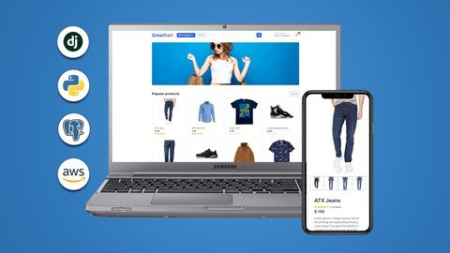
Last updated 5/2022MP4 | Video: h264, 1280x720 | Audio: AAC, 44.1 KHzLanguage: English | Size: 5.24 GB | Duration: 20h 45m
Build Python Django eCommerce website with advanced custom functionalities, RDS Postgres and deploy it on AWS
What you'll learn
Make real world eCommerce applications using Python and Django Framework
Django Custom User Model, Category & Media Files
Working with Products
Context Processors & Product Details
Setup Git and Carts Functionality
Add to Cart using Session Keys, Increment/decrement/remove Cart Items
Fixing Cart Bugs & Context Processor for Cart Item Counter
Paginator & Search
Product Variations & Variation Manager
Adding the Variation in Cart, Grouping Cart Item Variations
Registration, Login with Token Based Verification & Message Alerts
User Account Activation & Activation Link Expiry
Forgot Password with Secure Validation Links
Cart Checkout, automatically assign the Cart Items to Logged-in User
Orders & Order Number Generation
Payment Gateway Integration & Place Order
After Order Functionalities
Review and Rating System
Two Factor Checks for Submitting Reviews (Login check & Product purchase check)
Rating Average & Review Count Calculation
My Account Functionalities
Product Gallery with Unlimited Images
Django Security Measures
Deploying Application on AWS Elastic Beanstalk (EB)
Requirements
Basic web development skills including HTML, CSS
Basic knowledge of Python and Django
Description
Welcome to the Project-Based Django Web Development Course where you will learn to develop a fully-featured eCommerce website and redesign any Django-based web applications.
I designed this course, for anyone seeking to learn and build a Django-based custom web application. By the end of this course, you will be able to analyze, design, and develop your own eCommerce application and deploy it on the live server with the custom domain name.Please note: The project developed in this course is for learning purposes only. This will teach you to build most of the custom functionalities of eCommerce website development. I do not promise that this course is going to be a 100% eCommerce solution for your live business. Also, this course is not for non-technical business owners.With that said, we'll be building a fully custom featured eCommerce application using a Python Django web framework. You will be learning how to make your own custom user model, categories and products, Carts, Incrementing, Decrementing and removing car items, Unlimited Product image gallery, Orders, Payments, also we'll be making "after order functionalities" such as reduce the quantify of sold products, send the order received email, clearing the cart, Order completion page as well as generating an invoice for the order. Also, we'll be making a Review and Rating system where we'll be designing the interactive rating stars from scratch that even allows you to rate a half-star rating. We'll be also making my account functionalities for the customer who can easily edit his profile, profile pictures, change his account password, and also manage his orders.With everything in place, we will be deploying this application on AWS Elastic Beanstalk with the RDS Postgres database also we will AWS S3 Bucket for the media storage. With that in place, we will also configure a custom domain name where you will be configuring AWS Route 53 as well as we will also be installing the Free SSL Certificate provided by AWS.Alright, what do you need to know before you get started with this course Well, this is a 100% project-based course, I will not be teaching you very basic things about programming. So I expect you to have at least a basic knowledge of Python and Django.If you are a very bner, please enroll in my Basic Django FREE Course on Udemy - "Django Web Development: All You Need To Become A Python Dev"All you have to know is the basic web development skills, and of course a basic python and Django framework.
Overview
Section 1: Introduction
Lecture 1 Introduction
Lecture 2 Full Project Overview
Lecture 3 IMPORTANT!!! How To Get This Course For Lowest Price
Section 2: Getting Ready
Lecture 4 Installing Necessary Software's
Lecture 5 How To Get The Help From Me To Solve The Errors[IMPORTANT]
Lecture 6 Udemy's Playback Setting Announcement
Section 3: Dive into the Virtual Environment & Setup the Project
Lecture 7 Setup Virtual Environment
Lecture 8 Django Installation
Lecture 9 Run HTTP Response
Lecture 10 Configuring Template
Lecture 11 Implement Bootstrap Template
Lecture 12 Making Base Template
Lecture 13 Full Project Code on GitHub
Lecture 14 Practice Templates
Section 4: Django Custom User Model, Category & Media Files
Lecture 15 Do not forget to see the Q&A
Lecture 16 Category Model
Lecture 17 Brief about Custom User Model
Lecture 18 Making Custom User Model
Lecture 19 Making the Custom Password Field Read-only
Lecture 20 Configuring Django Media Files
Lecture 21 Pre-populate Category Slug
Lecture 22 Install SQLite Studio
Section 5: Working with Products
Lecture 23 Store App & Product Model
Lecture 24 Add Products
Lecture 25 Display Product in Homepage
Lecture 26 Make Store Page
Lecture 27 Display Products in Store Page
Lecture 28 Display Products by Category
Section 6: Context Processors & Product Details
Lecture 29 Make Context Processors for Displaying Categories on Navbar
Lecture 30 Display Categories in the Store Page
Lecture 31 Implement Product Detail Url and Design
Lecture 32 Single Product View
Lecture 33 Get URL for Product
Lecture 34 Changed Cover Photo
Lecture 35 Product Out of Stock Tag
Section 7: Setup Git and Start Carts Functionality
Lecture 36 Setup Git for Project
Lecture 37 Carts App & Cart Page Design
Lecture 38 Cart & Cart Item Models
Section 8: Add to Cart using Session Keys, Increment/decrement/remove Cart Items
Lecture 39 Add to Cart Functionality without Logging-in and with Session Key
Lecture 40 Cart View for Getting Cart Items, Total & Quantity
Lecture 41 Implement Data into Cart Page
Lecture 42 Calculate Tax & Grand Total
Lecture 43 Decrement & Remove Cart Items
Section 9: Fixing Cart Bugs & Context Processor for Cart Item Counter
Lecture 44 Check for Empty Cart
Lecture 45 Fix Add to Cart Links
Lecture 46 Check If the Product Added to the Cart
Lecture 47 Counter Context Processor for Cart Icon in Navbar
Section 10: Paginator & Search
Lecture 48 View Details Button
Lecture 49 Paginator Part 01
Lecture 50 Paginator Part 02
Lecture 51 Fixing Products Warning and Empty Cart Issue
Lecture 52 Search Function
Section 11: Starting Product Variations & Variation Manager
Lecture 53 Product Variation Preparation
Lecture 54 Product Variation Model
Lecture 55 Product Variation Fetch Dynamic Color
Lecture 56 Variation Manager for Variation Model
Lecture 57 Get the Instance of Variation Part 01
Lecture 58 Get the Instance of Variation Part 02
Section 12: Adding the Variation in Cart, Grouping Cart Item Variations
Lecture 59 Add Variation in Cart Item
Lecture 60 Grouping Cart Item Variations
Lecture 61 Cart Increment/Decrement/Remove with Variations
Lecture 62 Push Code to GitHub
Section 13: Registration, Login with Token Based Verification & Message Alerts
Lecture 63 Registration Preparation : Setting Up Urls & Design
Lecture 64 Registration : Implementing Model Forms and Editing __init__ Method
Lecture 65 Registration : Making View & Editing Model Form Clean Method to Check Passwords
Lecture 66 Django Message Alerts
Lecture 67 User Login Functionality
Section 14: User Account Activation & Activation Link Expiry
Lecture 68 Account Activation - Encode User PK & Send Token Based Activation Link
Lecture 69 Account Activation - Decode User PK & Activate the User | Expire Link
Lecture 70 Dashboard
Section 15: Forgot Password with Secure Validation Links
Lecture 71 Forgot Password
Lecture 72 Reset Password Validation
Lecture 73 Push Code to GitHub
Section 16: Cart Checkout, automatically assign the Cart Items to Logged-in User
Lecture 74 Checkout Page Design
Lecture 75 Assign the User to Cart Item
Lecture 76 Modify Cart Counter & Cart View to Handle Logged-in Users
Lecture 77 Variation Grouping for Logged-in Users Part1
Lecture 78 Variation Grouping for Logged-in Users Part2
Lecture 79 Fix Remove & Cart Decrement Functions
Lecture 80 Dynamically Redirect the User to Next Page
Section 17: Orders & Order Number Generation
Lecture 81 Order Flow Explained
Lecture 82 Making Order Model, Order Product model and Payment Model
Lecture 83 Place Order View and Generate Order Number Part 01
Lecture 84 Place Order View and Generate Order Number Part 02
Lecture 85 Review Order Page Setup
Lecture 86 Review Order Payment Page
Section 18: Payment Gateway Integration & Place Order
Lecture 87 Create PayPal Business Account
Lecture 88 PayPal Payment Gateway with Sandbox Account & Place Order
Lecture 89 Send Transaction Details to Backend
Section 19: After Order Functionalities
Lecture 90 Move Cart Items to Order Product Table
Lecture 91 Set Variations to Ordered Products
Lecture 92 Reduce Quantity of Sold Products and Clear the Cart
Lecture 93 Send Order Received Email
Lecture 94 Redirect the User to Order Completed Page
Lecture 95 Generate Invoice on Order Completion
Lecture 96 Push Code
Section 20: Review and Rating System
Lecture 97 Review & Rating Model
Lecture 98 Making Rating Stars 01
Lecture 99 Making Rating Stars Applying CSS 02
Lecture 100 Store the Rating & Reviews
Section 21: Two Factor Checks for Submitting Reviews (Login check & Product purchase check)
Lecture 101 Check if the User has purchased the Product before submitting Review
Lecture 102 Displaying Rating Stars
Section 22: Rating Average & Review Count Calculation
Lecture 103 Rating Average Calculation
Lecture 104 Rating Average Stars & Review Counter
Lecture 105 Anonymous User Error Fix
Lecture 106 Push Code
Section 23: My Account Functionalities
Lecture 107 Dashboard Edits
Lecture 108 My Orders
Lecture 109 User Profile Model
Lecture 110 Edit Profile Setup
Lecture 111 Edit Profile Functionality
Lecture 112 Automatically Create User Profile
Lecture 113 Change Password
Lecture 114 Order Detail Page
Lecture 115 Fix Profile Picture in Dashboard
Section 24: Product Gallery with Unlimited Images
Lecture 116 Product Gallery Model with Image Preview
Lecture 117 Product Gallery Implementation - Unlimited Product Images
Lecture 118 Show Rating Stars on Homepage
Section 25: Django Security Measures
Lecture 119 Store Your Website's Sensitive Information Securely
Lecture 120 Secure your Admin panel & Record Hacking Attempts
Lecture 121 Automatically logout after Inactivity
Section 26: Deploying Application on AWS Elastic Beanstalk (EB)
Lecture 122 AWS Elastic Beanstalk Deployment Introduction
Lecture 123 AWS Account Creation
Lecture 124 Deploy your Application on AWS Elastic Beanstalk (AWS EB)
Lecture 125 AWS RDS Postgres Configuration
Lecture 126 Postgres Installation and Load data from Sqlite3 to Postgres
Lecture 127 AWS S3 Bucket for Static & Media Files Storage
Lecture 128 Deploying the Application again for S3 Changes
Lecture 129 Connect Custom Domain
Lecture 130 Installing SSL Certificate on AWS Elastic Beanstalk
Lecture 131 Outro & Thank You!
Freshers who want to add live project on their resume or portfolio,Intermediate programmers who want to switch from other programming language to Python Django,Future developers who want to learn web development by project based course
HomePage:
Code:
Https://anonymz.com/https://www.udemy.com/course/django-ecommerce-project-based-course-python-django-web-development/DOWNLOAD
Code:
https://1dl.net/bb2o3empmpmo/y097pIPk__Python_Dja.part1.rar.html
https://1dl.net/5izgsjgy8hxq/y097pIPk__Python_Dja.part2.rar.html
https://1dl.net/31lw18junjl7/y097pIPk__Python_Dja.part3.rar.html
https://1dl.net/l0eln6g1xaw5/y097pIPk__Python_Dja.part4.rar.html
https://1dl.net/4o59htnx9b7h/y097pIPk__Python_Dja.part5.rar.html
https://1dl.net/p4ijjnc4xtvt/y097pIPk__Python_Dja.part6.rar.html
Feel free to post your Python Django Ecommerce | An Advanced Django Web Application Free Download, torrent, subtitles, free download, quality, NFO, Dangerous Python Django Ecommerce | An Advanced Django Web Application Torrent Download, free premium downloads movie, game, mp3 download, crack, serial, keygen.