





Python Tkinter GUI Development : With 10 Project
Last updated 11/2025
Duration: 11h 49m | .MP4 1280x720 30fps(r) | AAC, 44100Hz, 2ch | 4.07 GB
Genre: eLearning | Language: English
Build Interactive Desktop Applications with Python Tkinter from Scratch
What you'll learn
- Introduction to Tkinter - Set up your first window, understand mainloop(), and kickstart GUI programming.
- Window Management - Control title, size, position, icons, fullscreen, and resizing.
- Basic Widgets - Work with Labels, Buttons, Entry fields, Text areas, Messages, and Frames.
- Layout Management - Organize GUIs using Pack, Grid, Place, and nested layouts.
- Advanced Widgets - Explore Checkbuttons, Radiobuttons, Listboxes, Comboboxes, Spinboxes, Scales, Progressbars, Menus, Tabs, and more.
- Event Handling - Learn commands, bindings, keyboard/mouse events, and widget states.
- Tkinter Variables & Data Binding - Use StringVar, IntVar, DoubleVar, and BooleanVar for real-time data updates.
- Dialog Boxes - Implement message boxes, file dialogs, and color choosers.
- Menus & Toolbars - Create functional menu bars, submenus, and toolbars with icons.
- Object-Oriented Tkinter - Build scalable apps using classes, inheritance, and reusability.
- Images & Canvas - Work with images, draw shapes, handle mouse events, and create drawing apps.
- Themed Widgets (ttk) - Enhance your GUIs with modern styles, themes, and custom designs.
- Convert Python GUI to EXE
- Project 1 : To-Do List App
- Project 2 : Simple Calculator
- Project 3 : Digital Clock
- Project 4 : Currency Converter
- Project 5 : BMI Calculator
- Project 6 : Unit Converter
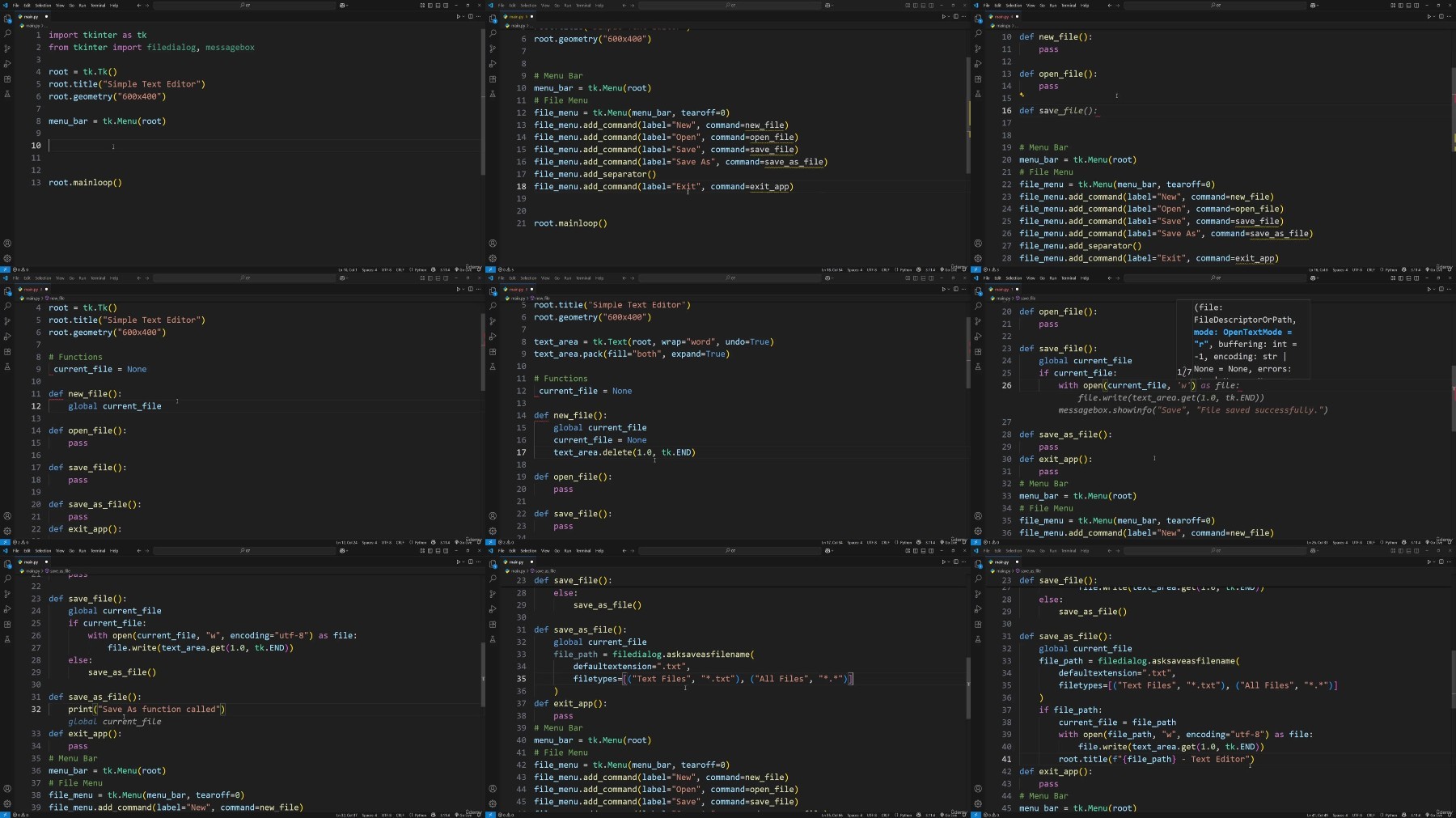
- Project 7 : Text Editor
- Project 8 : Login/Signup Form
- Project 9 : Quiz App
- Project 10 : Image Viewer
Requirements
- A basic understanding of Python (variables, loops, functions).
- Python installed on their computer (3.7 or higher recommended).
- A code editor such as Visual Studio Code or PyCharm (optional but recommended).
- No prior GUI programming experience is required - we'll start from scratch!
Description
Are you ready to bring your Python skills to life with interactive desktop applications?This course is designed to take you frombeginner to advancedin Python GUI development usingTkinter, the built-in GUI toolkit of Python. Whether you're just starting your journey with Python or aiming to build professional desktop apps, this course will equip you with everything you need.
We'll start from the very basics - creating your first Tkinter window - and gradually move toward building structured, feature-rich applications usingwidgets, layouts, event handling, images, dialogs, and OOP concepts. By the end of this course, you'll have the confidence and skills to design and develop real-world GUI projects.
What You'll Learn:
Introduction to Tkinter- Set up your first window, understand mainloop(), and kickstart GUI programming.
Window Management- Control title, size, position, icons, fullscreen, and resizing.
Basic Widgets- Work with Labels, Buttons, Entry fields, Text areas, Messages, and Frames.
Layout Management- Organize GUIs using Pack, Grid, Place, and nested layouts.
Advanced Widgets- Explore Checkbuttons, Radiobuttons, Listboxes, Comboboxes, Spinboxes, Scales, Progressbars, Menus, Tabs, and more.
Event Handling- Learn commands, bindings, keyboard/mouse events, and widget states.
Tkinter Variables & Data Binding- Use StringVar, IntVar, DoubleVar, and BooleanVar for real-time data updates.
Dialog Boxes- Implement message boxes, file dialogs, and color choosers.
Menus & Toolbars- Create functional menu bars, submenus, and toolbars with icons.
Object-Oriented Tkinter- Build scalable apps using classes, inheritance, and reusability.
Images & Canvas- Work with images, draw shapes, handle mouse events, and create drawing apps.
Themed Widgets (ttk)- Enhance your GUIs with modern styles, themes, and custom designs.
Who Is This Course For?
Beginners who know basic Python and want to learn GUI development.
Python developers looking to builddesktop applications.
Students and professionals wanting hands-on experience with real-world GUI projects.
By the End of This Course:
You'll be able to designbeautiful, responsive, and interactive desktop applicationswith Python Tkinter, and structure your code like a professional developer.
Who this course is for:
- Beginners who know basic Python and want to learn GUI development.
- Python developers looking to build desktop applications.
- Students and professionals wanting hands-on experience with real-world GUI projects.
More Info
RapidGator
NitroFlarehttps://rapidgator.net/file/9ec1a75...er.gui.development..with.10.project.part1.rar
https://rapidgator.net/file/e957c03...er.gui.development..with.10.project.part2.rar
https://rapidgator.net/file/d27cace...er.gui.development..with.10.project.part3.rar
https://rapidgator.net/file/e70fc1a...er.gui.development..with.10.project.part4.rar
DDownloadhttps://nitroflare.com/view/7021B23...er.gui.development..with.10.project.part1.rar
https://nitroflare.com/view/983FFA2...er.gui.development..with.10.project.part2.rar
https://nitroflare.com/view/DF06CD4...er.gui.development..with.10.project.part3.rar
https://nitroflare.com/view/059E141...er.gui.development..with.10.project.part4.rar
https://ddownload.com/lm8m76b8xzgq/python.tkinter.gui.development..with.10.project.part1.rar
https://ddownload.com/kdzbxdgok3sv/python.tkinter.gui.development..with.10.project.part2.rar
https://ddownload.com/jwezlfvnba71/python.tkinter.gui.development..with.10.project.part3.rar
https://ddownload.com/weqnahymg3iz/python.tkinter.gui.development..with.10.project.part4.rar
Feel free to post your Python Tkinter GUI Development : With 10 Project Free Download, torrent, subtitles, free download, quality, NFO, Dangerous Python Tkinter GUI Development : With 10 Project Torrent Download, free premium downloads movie, game, mp3 download, crack, serial, keygen.