





MP4 | Video: AVC 1018 x 572 | Audio: AAC 44 Khz 2ch | Duration: 01:50:59 | 377.96 MB
Genre: eLearning | Language: English
Apply the basics of Microsoft Excel data analysis, manipulation, and presentation, create workbooks and worksheets, manage data cells and ranges, design tables, use formulas and functions, and generate charts. Become prepared to take the 77-727 Excel 2016: Core Data Analysis, Manipulation, and Presentation Certification Exam. These six topics will be covered:
Creating Worksheets and Workbooks in Microsoft Excel. In this first topic in the 77-727 Microsoft Excel series, create a new workbook and add a worksheet, copy worksheets and change their order in a workbook, and import data from a text delimited file.
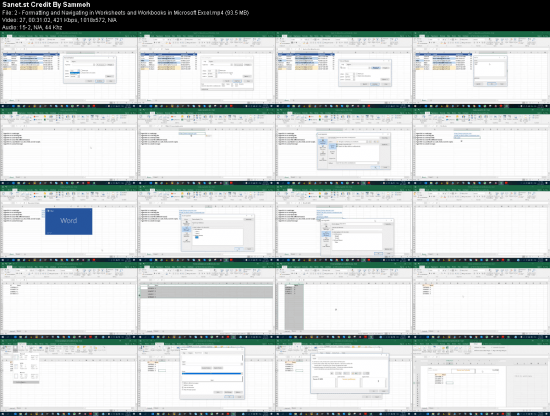
Formatting and Navigating in Worksheets and Workbooks in Microsoft Excel. In this second topic in the 77-727 Microsoft Excel series, practice searching and navigating within worksheets. Also rename worksheets, change their order in a workbook, adjust rows and columns height and width, and insert and delete new rows and columns.
Customizing Options and Views for Worksheets and Workbooks in Microsoft Excel. In this third topic in the 77-727 Microsoft Excel series, customize the toolbar, hide or unhide worksheets, columns or rows, change workbooks and windows views, and display formulas.
Calculating Functions in Microsoft Excel. In this fourth topic in the 77-727 Microsoft Excel series, perform calculations on arrays of numbers. These functions include SUM - for summing, MIN and MAX - for getting minimum and maximum value in an array, COUNT - for counting numbers in an array, and AVERAGE - for getting an average value of an array.
Applying Conditional Operations using Functions in Microsoft Excel. In this fifth topic in the 77-727 Microsoft Excel series, analyze the IF for logical conditions. The more complex logical functions are explained, such as SUMIF, COUNTIF and AVERAGEIF for summing, counting, and calculating average with a condition.
Leveraging Text Functions in Microsoft Excel. In this sixth topic in the 77-727 Microsoft Excel series, practice working with texts (strings). You will learn how to use RIGHT, LEFT and MID functions to divide texts or UPPER, LOWER and PROPER functions to convert texts. Also, the CONCETANE function is explained for joining multiple texts.
Screenshots
Buy Premium Account for Download With Full Speed:
rapidgator_net:
http://nitroflare.com/view/6CF049E0A7B2854/77-727_Microsoft_Excel_Core_Data.rar
or
https://rapidgator.net/file/713259f293a35d8bc94640b39c1add24
http://nitroflare.com/view/6CF049E0A7B2854/77-727_Microsoft_Excel_Core_Data.rar
or
https://rapidgator.net/file/713259f293a35d8bc94640b39c1add24
Links are Interchangeable - No Password - Single Extraction
Feel free to post your 77-727 Microsoft Excel Core Data Analysis, Manipulation, and Presentation Certification Exam Crash Course Free Download, torrent, subtitles, free download, quality, NFO, Dangerous 77-727 Microsoft Excel Core Data Analysis, Manipulation, and Presentation Certification Exam Crash Course Torrent Download, free premium downloads movie, game, mp3 download, crack, serial, keygen.