




10.18 GB | 21min 23s | mp4 | 1280X720 | 16:9
Genre:eLearning |Language:English
Files Included :
1 Introduction.mp4 (49.25 MB)
2 Course-Pre-requisites.mp4 (3.91 MB)
1 Step-01 Introduction to Azure AKS Cluster.mp4 (21.36 MB)
2 Step-02 Create AKS Cluster.mp4 (46.81 MB)
3 Step-03 Explore AKS Cluster using kubectl and Azure Mgmt Console.mp4 (75.91 MB)
4 Step-04 Setup Azure CLI on Local Desktop.mp4 (24.56 MB)
1 Step-01 Docker Fundamentals - Introduction.mp4 (14.19 MB)
2 Step-02 Introduction to Docker, Why Docker, What Problems Docker Solve.mp4 (29.02 MB)
3 Step-03 Docker Architecture or Docker Terminology.mp4 (13.46 MB)
4 Step-04 Docker Installation.mp4 (19.05 MB)
5 Step-05 Docker - Pull Docker Image from Docker Hub and Run it locally.mp4 (53.82 MB)
6 Step-06 Docker - Build Docker Image locally, Test and Push it to Docker Hub.mp4 (51.5 MB)
7 Step-07 Docker - Essential Commands Overview.mp4 (19.08 MB)
10 Step-09 Introduction to Kubernetes ReplicaSets.mp4 (11.76 MB)
11 Step-10 Create ReplicaSet and Test it.mp4 (19.3 MB)
12 Step-11 Expose ReplicaSet as Service, Test Scalability & High Availability.mp4 (36.56 MB)
13 Step-12 Introduction to Kubernetes Deployments.mp4 (9.53 MB)
14 Step-13 Create Deployment, Expose with a Service, Scale Up and Down Replicas.mp4 (65.06 MB)
15 Step-14 Understand how to Update Deployments in Kubernetes.mp4 (102.16 MB)
16 Step-15 Understand how to rollback deployments in Kubernetes.mp4 (64.06 MB)
17 Step-16 Understand how to pause and resume deployments in kubernetes.mp4 (28.1 MB)
18 Step-17 Introduction to Services in Kubernetes.mp4 (14.77 MB)
19 Step-18 Services Demo with Cluster IP and Load Balancer Services.mp4 (97.74 MB)
2 Step-01 Understand Kubernetes Architecture.mp4 (25.81 MB)
3 Step-03 Introduction to Kubernetes Fundamentals.mp4 (7.12 MB)
4 Step-04 Introduction to Kubernetes Pods.mp4 (14.29 MB)
6 Step-05 Create a Pod, Understand about it and delete pod.mp4 (88.96 MB)
7 Step-06 Load Balancer Service Introduction.mp4 (40.14 MB)
8 Step-07 Create Pod and LoadBalancer Service and Test.mp4 (91.41 MB)
9 Step-08 Interact with pods, logs, connect to pod and cleanup.mp4 (57.35 MB)
1 Step-01 Introduction to creating Kubernetes Resources using declarative path wi.mp4 (2.85 MB)
2 Step-02 YAML Basics.mp4 (47.63 MB)
3 Step-03 Create Pod Definition using YAML.mp4 (66.8 MB)
4 Step-04 Create Load Balancer Service using YAML.mp4 (35.91 MB)
5 Step-05 Create ReplicaSet and LoadBalancer Service with YAML and Test.mp4 (75.8 MB)
6 Step-06 Create Deployment and LoadBalancer Service with YAML and Test.mp4 (16.57 MB)
7 Step-07 Create Backend Application k8s Deployment and Service.mp4 (63.36 MB)
8 Step-08 Create frontend application k8s deployment and service and test.mp4 (56.16 MB)
1 Step-01 Azure Disks for AKS Storage Introduction.mp4 (33.23 MB)
2 Step-02 Create Storage class Kubernetes Manifest.mp4 (33.99 MB)
3 Step-03 Create Persistent Volume Claim Manifest, Deploy SC, PVC and Test.mp4 (32.62 MB)
4 Step-04 Create ConfigMap Kubernetes Manifest.mp4 (16.34 MB)
5 Step-05 Create MySQL Kubernetes Deployment Manifest.mp4 (70.71 MB)
6 Step-06 Create MySQL Kubernetes Cluster IP Service, Deploy, Test and CleanUp.mp4 (78.15 MB)
7 Step-07 Use AKS provisioned Storage Class instead of Custom Storage Class.mp4 (46.48 MB)
8 Step-08 Create User Management Web Application (UWB) k8s Deployment Manifest.mp4 (65.1 MB)
9 Step-09 Create UWB k8s Service, Deploy, Test and CleanUp.mp4 (33.1 MB)
1 Step-01 Azure MySQL Database Introduction.mp4 (33.06 MB)
2 Step-02 NEW - Create Azure Database for MYSQL Flexible Database.mp4 (27.89 MB)
3 Step-03 NEW- Create webappdb schema, disable secure transport.mp4 (51.17 MB)
4 Step-04 NEW - Review UWB App k8s Manifests, Deploy, Test and CleanUp.mp4 (49.43 MB)
1 Implement Kubernetes Secrets.mp4 (53.83 MB)
2 Step-01 Azure Files Introduction.mp4 (42.99 MB)
3 Step-02 Review k8s manifests for Azure Files - Storage Class and PVC.mp4 (41.6 MB)
4 Step-03 Deploy App, Upload Static Files, Test and CleanUp.mp4 (33.29 MB)
1 Step-00 Ingress Introduction.mp4 (86.17 MB)
2 Step-01 Ingress Basics Introduction.mp4 (36.49 MB)
3 Step-02 Create Static Public IP in Azure dedicated for Ingress.mp4 (20.7 MB)
4 Step-03 Install Ingress.mp4 (77.98 MB)
5 Step-04 Create k8s Ingress Manifest, Review k8s App Manifests and Deploy.mp4 (62.47 MB)
6 Step-05 Deploy k8s Ingress and App manifests, Test and CleanUp.mp4 (40.99 MB)
1 Step-01 Ingress Context Path based Routing Introduction.mp4 (12.21 MB)
2 Step-02 Review CPR k8s manifests.mp4 (105.29 MB)
3 Step-03 Deploy k8s CPR Ingress, App manifests, Test and CleanUp.mp4 (24.61 MB)
1 Step-01 Azure DNS Zones Introduction.mp4 (30.35 MB)
2 Step-02 Create DNS Zone in Azure, Change Nameservers at DomaiN Registrar.mp4 (29.8 MB)
1 Step-01 ExternalDNS Introduction.mp4 (52.66 MB)
2 Step-02 Review ExternalDNS k8s Manifests.mp4 (75.8 MB)
3 Step-03 Create Managed Service Identity to allow access to DNS Zones.mp4 (27.22 MB)
4 Step-04 Deploy ExternalDNS, Review & Deploy Apps, Test and CleanUp.mp4 (71.88 MB)
1 Step-01 Ingress Domain Named based Routing Introduction.mp4 (15.94 MB)
2 Step-02 Review k8s DNR Manifests, Deploy, Test and CleanUp.mp4 (62.59 MB)
1 Step-01 Ingress SSL Introduction.mp4 (54.88 MB)
2 Step-02 Install Cert Manager, Review and Deploy Cluster Issuer.mp4 (86.92 MB)
3 Step-03 Review k8s Ingress SSL manifest, App Manifests, Deploy, Test and CleanU.mp4 (82.25 MB)
1 Step-01 Kubernetes Resources - Requests & Limits Introduction.mp4 (26.36 MB)
2 Step-02 Kubernetes Resources - Requests & Limits Implement, Deploy, Test and Cl.mp4 (47.3 MB)
1 Step-01 Kubernetes Namespaces - Introduction.mp4 (43.07 MB)
2 Step-02 Kubernetes Namespaces - Implement Namespaces with kubectl - Imperative.mp4 (56.91 MB)
3 Step-03 Kubernetes Namespaces - Namespaces Limit Range Introduction.mp4 (35.89 MB)
4 Step-04 Kubernetes Namespaces - Namespaces Limit Range Implementation.mp4 (51.89 MB)
5 Step-05 Kubernetes Namespaces - Namespaces ResourceQuota Introduction.mp4 (23.31 MB)
6 Step-06 Kubernetes Namespaces - Namespaces ResourceQuota Implementation.mp4 (45.37 MB)
1 Step-01 Understand what is Virtual Kubelet and Azure Container Instances ACI.mp4 (53.77 MB)
2 Step-02 Understand what is Virtual Kubelet and Azure Container Instances ACI.mp4 (60.07 MB)
3 Step-03 Create AKS Cluster with Virtual Nodes Add On Enabled and Verify the sam.mp4 (75.85 MB)
5 Step-05 Azure Virtual Nodes Mixed Mode Deployments Introduction.mp4 (33.92 MB)
6 Step-06 Review k8s Manifests for Mixed Mode Deployments.mp4 (77.47 MB)
7 Step-07 Deploy, Test and Clean-Up Mixed Mode Deployments.mp4 (50.68 MB)
1 Step-01 Azure Container Registry Introduction.mp4 (45.54 MB)
10 Step-09 Schedule on Virtual Nodes by pulling using SP and test.mp4 (83.2 MB)
2 Step-02 Azure ACR & AKS Integration - Introduction.mp4 (13.6 MB)
3 Step-03 Create ACR and Build and Run Docker Image Locally.mp4 (75.14 MB)
5 Step-05 Pull ACR Images with Service Principal Introduction.mp4 (24.75 MB)
6 Step-06 Create ACR and Build and Run Docker Image Locally and push the docker i.mp4 (68.41 MB)
8 Step-07 Create Azure Service Principal and Kubernetes Secret.mp4 (65.79 MB)
9 Step-08 Review k8s manifests, Deploy, Test and CleanUp SP usecase.mp4 (44.27 MB)
1 Step-01 Introduction to Azure DevOps Build Pipeline & Azure Container Registry.mp4 (22.09 MB)
2 Step-02 Create a Local Repository, Check-In Files and Push to Remote Github Rep.mp4 (64.33 MB)
3 Step-03 Create ACR, Azure DevOps Organization and Project and Discuss about Azu.mp4 (58.63 MB)
4 Step-04 Create a Build Pipleline to Build and Push Docker Image to ACR.mp4 (81.86 MB)
5 Step-05 Make changes to index html to V2, commit and push changes and review th.mp4 (45.19 MB)
6 Step-06 Understand Namespaces in Azure Container Registry using Azure DevOps Pi.mp4 (53.33 MB)
7 Step-07 Review Docker Build and Push Pipeline code on a high level.mp4 (78.73 MB)
1 Step-01 Deploy to AKS Introduction.mp4 (41.29 MB)
2 Step-02 Create Pre-built pipeline named Deploy to AKS.mp4 (99.56 MB)
3 Step-03 Review Build and Deploy Stage Logs, Kubernetes Pods Access Application.mp4 (22.8 MB)
4 Step-04 Deploy New Version of Application and review Pipeline stages Build, Dep.mp4 (36.42 MB)
5 Step-05 Review Pipeline code for Build and Deploy Stages.mp4 (92.47 MB)
6 Step-06 Clean-Up Kubernetes App1 Workloads.mp4 (4.38 MB)
1 Step-01 Introduction to Azure Starter Pipelines and Pipeline Key Concepts.mp4 (45.31 MB)
2 Step-02 Create Semi customized Pipeline for Build, Push Docker Image to ACR and.mp4 (102.54 MB)
3 Step-03 Create using Starter Pipeline for Build, Push Docker Image to ACR and P.mp4 (125.74 MB)
1 Step-01 Azure DevOps Release Pipelines - Introduction.mp4 (62.4 MB)
2 Step-02 Create k8s Namespaces and Service Connections to those k8s Namespaces.mp4 (42.62 MB)
3 Step-03 Create Release Pipeline with Dev Stage and Map Artifacts from CI Build,.mp4 (63.45 MB)
4 Step-04 Verify Image name in k8s manifest and Check-In new code and review Buil.mp4 (46.1 MB)
5 Step-05 Change the Docker Image tag to Build SourceVersion and test.mp4 (28.22 MB)
6 Step-06 Create QA, Staging and Prod Stages in Release Pipelines with email appr.mp4 (39.09 MB)
7 Step-07 Check-In new code, review entire Build and Release Pipelines.mp4 (48.61 MB)
8 Step-08 Clean-Up Kubernetes Workloads.mp4 (9.73 MB)
1 Step-01 Introduction to AKS HTTP Application Routing Add On.mp4 (49.12 MB)
2 Step-02 Enable HTTP Application Routing AddOn on AKS Cluster.mp4 (86.65 MB)
4 Step-04 Clean Up Apps and Disable the Add-On.mp4 (26.66 MB)
1 Step-01 Introduction to configuring access to Multiple AKS Clusters.mp4 (35.89 MB)
2 Step-02 Create two clusters with names aksdemo3 and aksdemo4 with Azure AKS CLI.mp4 (87.53 MB)
3 Step-03 Configure Access to aksdemo3 cluster, Understand kubectl config view an.mp4 (86 MB)
4 Step-04 Configure Access to aksdemo4 cluster and explore kubectl config use-con.mp4 (31.04 MB)
1 Step-01 Introduction to Active Directory Authentication for AKS Admins.mp4 (19.99 MB)
2 Step-02 Create AD Group and User and Enable AD for AKS.mp4 (58.54 MB)
3 Step-03 Access Azure AKS Cluster Resources using Azure AD user from kubectl.mp4 (41.11 MB)
4 Step-04 How to relogin with differetn user and how to override AD Authenticatio.mp4 (80.64 MB)
1 Step-01 Introduction to Kubernetes RBAC.mp4 (32.01 MB)
2 Step-02 Introduction to Role and Role Binding in Kubernetes in combination with.mp4 (54.95 MB)
4 Step-04 Create AD Group, Role Assignment, User and Test login.mp4 (43.4 MB)
5 Step-05 Review k8s Role and Role Binding manifests, create them.mp4 (38.94 MB)
6 Step-06 Access Dev Namespace using aksdev1 user and test.mp4 (20.84 MB)
1 Step-01 Introduction to Cluster Role and Cluster Role Binding in Kubernetes in.mp4 (40.73 MB)
2 Step-02 Create AD Group, Role Assignment, User and Test login.mp4 (41.88 MB)
3 Step-03 Review k8s Cluster Role and Cluster Role Binding manifests, create them.mp4 (31.61 MB)
4 Step-04 Access Cluster resources in readonly mode with AD readonly user askread.mp4 (46.88 MB)
1 Step-01 Introduction to Cluster Autoscaler.mp4 (14.86 MB)
2 Step-02 Create AKS Cluster with Autoscaling enabled using Azure AKS CLI.mp4 (44.88 MB)
1 Step-01 Introduction to Horizontal Pod Autoscaler.mp4 (18.99 MB)
2 Step-02 Create HPA imperatively and also review HPA Declarative k8s manifest.mp4 (71 MB)
3 Step-03 Generate load to demonstrate HPA in action and CleanUp.mp4 (64.8 MB)
1 Step-01 Introduction to creating prod grade AKS Cluster using AZ AKS CLI - Part.mp4 (68.69 MB)
10 Step-10 Create Linux User NodePool and Verify.mp4 (52.5 MB)
11 Step-11 Create Windows User NodePool and Verify.mp4 (34.72 MB)
12 Step-12 Introduction to deploying apps to NodePools using K8S Node Selectors.mp4 (16.44 MB)
13 Step-13 Review all 4 applications kubernetes manifests.mp4 (56.56 MB)
14 Step-14 Deploy 4 Apps, Test and Clean-Up.mp4 (71.12 MB)
2 Step-02 Introduction to creating prod grade AKS Cluster using AZ AKS CLI - Part.mp4 (49.46 MB)
3 Step-03 Introduction to Creating Azure AKS Cluster using AZ AKS CLI.mp4 (28.74 MB)
4 Step-04 Implement Pre-requisite items like Creating Vnets & Subnets.mp4 (57.41 MB)
5 Step-05 Implement Pre-requisite items like AD Users, AD Groups SSHKEY, Log Anal.mp4 (79.03 MB)
6 Step-06 Create Azure AKS Cluster using az aks cli.mp4 (125.52 MB)
7 Step-07 Verify Cluster access using Azure AD User.mp4 (79.6 MB)
8 Step-08 Introduction to AKS NodePools.mp4 (4.63 MB)
9 Step-09 Create Virtual Nodes and Fix ACI Connector Issues related to Access.mp4 (73.74 MB)
1 Step-01 Terraform Basics Introduction.mp4 (74.9 MB)
10 Step-10 Create Terraform Settings Block, Provide Block and Random Pet resource-.mp4 (50.95 MB)
11 Step-11 Create Terraform Settings Block, Provide Block and Random Pet resource-.mp4 (62.52 MB)
12 Step-12 Understand Terraform Input Variables - Part1.mp4 (55.43 MB)
13 Step-13 Understand Terraform Input Variables - Part2.mp4 (101.17 MB)
14 Step-14 Understand Terraform Output Values.mp4 (33.28 MB)
15 Step-15 Deploy Terraform manifests and Verify.mp4 (26.91 MB)
16 Step-16 Migrate Terraform Local State to Azure Storage Account.mp4 (102.39 MB)
18 Step-17 Provision Azure AKS Cluster Introduction.mp4 (24.92 MB)
19 Step-18 Create SSH Keys, Windows Admin & Password, AKS latest version Datasourc.mp4 (86.47 MB)
2 Step-02 Install Pre-requisistes, Terraform, AZ CLI, set Azure Subscription.mp4 (82.82 MB)
20 Step-19 Create Log Analytics Workspace and Azure AD Group Terraform Resources.mp4 (54.27 MB)
21 Step-20 Create AKS Cluster Manifest Part-1.mp4 (65.12 MB)
22 Step-21 Create AKS Cluster Manifest Part-2.mp4 (101.26 MB)
23 Step-22 Create AKS Cluster Manifest Part-3.mp4 (36.76 MB)
24 Step-23 Create Outputs, Provision AKS Cluster and Verify Outputs.mp4 (132.12 MB)
25 Step-24 Verify Access using default AKS Admin and Azure AD User associated to A.mp4 (83.36 MB)
26 Step-25 Create Windows and Linux Nodepools.mp4 (45.85 MB)
28 Step-27 Provision AKS Cluster with Custom VNET.mp4 (84.82 MB)
3 Step-03 Understand Terraform Providers and Terraform Init Command.mp4 (125.15 MB)
4 Step-04 Understand Terraform plan, validate and apply commands.mp4 (106.19 MB)
5 Step-05 Make changes and apply like add tags, modify resource group and underst.mp4 (58.97 MB)
6 Step-06 Understand Terraform refresh command in combination with tfstate files.mp4 (93.81 MB)
7 Step-07 Understand terraform show, providers and destroy commands.mp4 (55.37 MB)
8 Step-08 Introduction to Terraform Language Basics.mp4 (9.21 MB)
9 Step-09 Understand Terraform Language Syntax.mp4 (35.74 MB)
1 Step-01 Introduction to provisioning Azure AKS Cluster using Terraform and Azur.mp4 (30.72 MB)
10 Step-10 Verify Dev AKS Cluster Provisioning is successful using Azure DevOps Pi.mp4 (64.88 MB)
11 Step-11 Create QA envionment related Pipeline code and Provision QA environment.mp4 (108.89 MB)
12 Step-12 Verify QA Environment.mp4 (18.69 MB)
13 Step-13 Add new nodepool, check-in code, monitor pipeline and verify cahnges.mp4 (56.94 MB)
14 Step-14 Clean-Up both AKS Clusters.mp4 (6.09 MB)
2 Step-02 Install Azure DevOps Terraform Plugins in Azure DevOps Organization.mp4 (22.43 MB)
3 Step-03 Review Terraform Manifests, Kubernetes Manifests and Pipeline backup fi.mp4 (72.02 MB)
4 Step-04 Setup Github repository local and remote and copy k8s and terraform man.mp4 (49.29 MB)
5 Step-05 Create Service Connection, Fix AD Permissions, Create SSH Key and Uploa.mp4 (72.42 MB)
6 Step-06 Create Pipeline with Terraform Validate Stage - Part-1.mp4 (92.23 MB)
7 Step-07 Create Pipeline with Terraform Validate Stage - Part-2.mp4 (78.15 MB)
8 Step-08 Introduction to Deploy Dev AKS Cluster Deployment Job in Stage 2 of Pip.mp4 (23.55 MB)
9 Step-09 Write Pipeline code to Provision Dev AKS Cluster.mp4 (185.2 MB)]
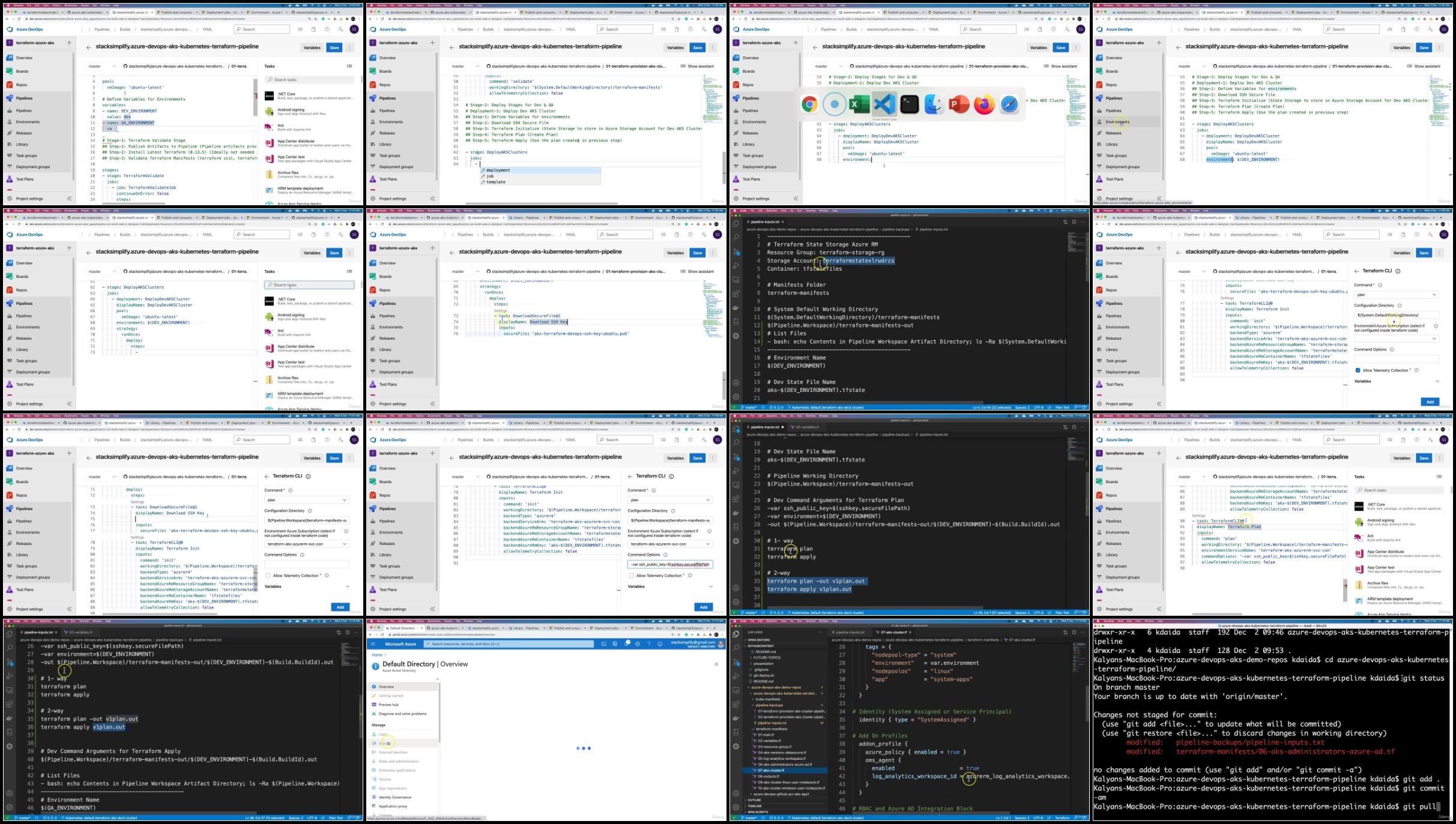
Screenshot
RapidGator
NitroFlarehttps://rapidgator.net/file/a34b8974de2c5aac84a2a3be26e4f918/
https://rapidgator.net/file/0811b55289e634e03f7e5318354c529e/
https://rapidgator.net/file/4fb7ee3dae61ecf2bff1f199d8bf2e41/
https://rapidgator.net/file/e09a95f07f0652ee2067468ab29c8f0c/
https://rapidgator.net/file/72a5a1b8d1704dc6cdb6a0049d3cf76c/
https://rapidgator.net/file/47d23c401b3eaa06fd5c0b1ba562c261/
https://rapidgator.net/file/15341f0e4a32d164e0e19b2fe6846fb9/
https://rapidgator.net/file/3f2e17e336be00e9bc11a8dd8b5debe8/
https://rapidgator.net/file/d2bae291b47fd8b03738eb183e5c5dac/
https://rapidgator.net/file/8b2cd8248ae61415b222bfbab0fa6da3/
https://nitroflare.com/view/E57C49D7A7F46F2/
https://nitroflare.com/view/AB87281C20ACEEF/
https://nitroflare.com/view/4EF4218938E8DFD/
https://nitroflare.com/view/407D926C517AC97/
https://nitroflare.com/view/2610BDC5E5D5454/
https://nitroflare.com/view/CAEB0642DFFDE61/
https://nitroflare.com/view/56B3BC313D3E621/
https://nitroflare.com/view/DD9FEFE64DB7B12/
https://nitroflare.com/view/76BA50186138448/
https://nitroflare.com/view/041D3E3E71D76B9/
Feel free to post your Azure Kubernetes Service with Azure DevOps and Terraform Free Download, torrent, subtitles, free download, quality, NFO, Dangerous Azure Kubernetes Service with Azure DevOps and Terraform Torrent Download, free premium downloads movie, game, mp3 download, crack, serial, keygen.