




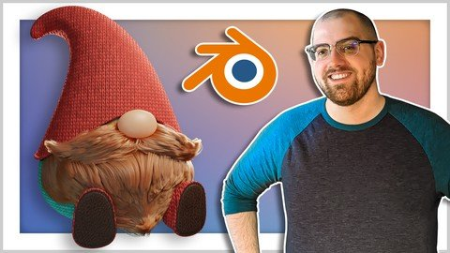
Published 06/2022Genre: eLearning | MP4 | Video: h264, 1280x720 | Audio: AAC, 48.0 KHzLanguage: English | Size: 3.68 GB | Duration: 12 lectures 4h 10m
What you'll learn
Blender interface basics - Learn the tools you'll need to succeed
Modeling techniques - Understand how to create/modify polygon models
Three point lighting - Create a lighting system to illuminate your scene
Texturing workflow - Set up a node system to give your gnome textures like cloth, leather, hair and skin
Rendering properties - Understand how to optimize your renders for quality and speed
Basic Compositing - Learn the basics of compositing inside Blender to add a fun background to your render
Requirements
You'll need to have Blender installed, but you don't need any experience to b this course.
You'll learn everything you need to know with me.
Description
Hi, my name is Harry and I'm a professional 3d Artist.
I've worked for over a decade as a professional artist in multiple different industries. My jobs have included creating user interface art for a major video game development company, a green screen footage editor and 3d background artist for a video production company, and working as the lead 3d Artist and later Studio Director for an award winning Architectural Visualization studio.
In this class I'll guide you through a fun bner exercise where we'll model, texture and render a cute gnome with a real hair beard. We'll go through each part of the process step-by-step, so you should find it fun and easy to follow along with me.
We're using Blender for this tutorial, which is an amazing and totally free 3d software. The only barrier to entry is having a computer to run the software on.
A gnome might seem like an odd choice for a bner project, but it really is a perfect place to start!
While modeling your gnome, you'll learn
Modeling - which is how we'll create the body of our little gnome
Modifiers - that add additional modeling effects such as smoothing
Texturing - this will add color and detail to the clothing of our gnome and their beard.
Lighting - we'll add lights to illuminate our scene
Rendering - which involves positioning a 3d camera and generating a picture of our gnome
Compositing - that will add a background and fun pattern behind our gnome render
At the end, we'll have a cute gnome to render to our heart's content. It's also a character that can be easily altered to give them a different look pretty easily.
I hope you'll join me on this fun little bner's journey through Blender by making your very own bearded gnome!
Who this course is for
This course is designed for bners to Blender. No experience is needed.
HomePage:
Code:
https://anonymz.com/https://www.udemy.com/course/blender-for-bners-learn-to-model-a-gnome-with-real-hair/DOWNLOAD
Code:
https://1dl.net/ipzkhy9rxwts/_Blender_for.part1.rar.html
https://1dl.net/f54heui6tae5/_Blender_for.part2.rar.html
https://1dl.net/8qhp9w9ogh96/_Blender_for.part3.rar.html
https://1dl.net/gyabhy6u31t3/_Blender_for.part4.rar.html
Feel free to post your Blender for Beginners: Learn to Model a Gnome With Real Hair Free Download, torrent, subtitles, free download, quality, NFO, Dangerous Blender for Beginners: Learn to Model a Gnome With Real Hair Torrent Download, free premium downloads movie, game, mp3 download, crack, serial, keygen.