





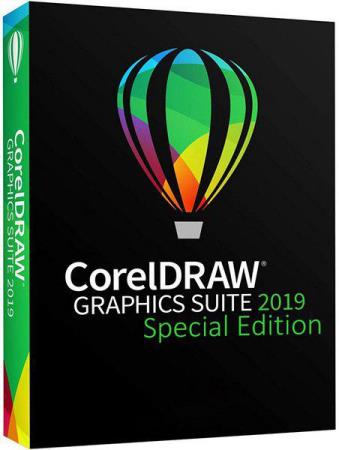
CorelDRAW Graphics Suite 2019 21.3.0.755 Special Edition | File size: 1.06 GB / 2.90 GB
CorelDRAW Graphics Suite 2019 is the content-rich environment and professional graphic design, photo-editing and vector illustration software. Whatever your design passion, talents or interests, CorelDRAW Graphics Suite 2019 delivers a collection of seven powerful applications to satisfy all types of creativity. This Corel Software gives you everything you need to express your style and creativity with endless possibilities. You will be amazed by how many different types of original projects you can design!
Combine your creativity with the unparalleled power of CorelDRAW Graphics Suite 2019 to design graphics and layouts, edit photos, and create websites.
With multi-monitor viewing and 4K displays, the suite lets first-time users, graphics pros, small business owners and design enthusiasts deliver professional results with speed and confidence.
With a fresh look, new must-have tools and major feature enhancements, CorelDRAW Graphics Suite 2019 opens up a world of new creative possibilities. Discover high-caliber and intuitive tools to create logos, brochures, web graphics, social media ads or any original project.
Composition of CorelDRAW Graphics Suite 2019:
CorelDRAW 2019 - vector graphics and page layouts
Corel PHOTO-PAINT 2019 - Image Editing
Corel Font Manager 2019 - search and systematization of fonts
PowerTRACE 2019 - trace bitmaps in vector graphics (part of the CorelDRAW 2019 application)
CONNECT 2019 - Content Search (part of the CorelDRAW 2019 application)
CAPTURE 2019 - screen capture
CorelDRAW.app - online graphic design through a web browser
Jump in
Whether you are a first-time user or an experienced designer, CorelDRAW Graphics Suite 2019 makes it easy to get started. Learn the basics, see whats new with a Startup tour, or transition to the suite with a special walkthrough designed just for Adobe users. Be productive immediately with a workspace that matches your workflow needs, and benefit from high-quality content and versatile in-product learning.
Craft
Make the most of your design skills with the intuitive, high-caliber features of this graphic design software. Quickly find fonts for any project with the font search and filtering feature. Save valuable design time with the new LiveSketch tool that allows you to capture any original idea on a pen-enabled device the moment creativity strikes. Work faster with the new node editing, and refine your photos with the Healing Clone tool in Corel PHOTO-PAINT 2019.
Personalize
Feel right at home with all of your favorite tools! Adapt your design space to your needs with the custom icon size, desktop and window border color. Explore and organize fonts for your projects with the help of the popular Corel Font Manager 2019. Expand your collection of creative tools and content by downloading free and premium apps, plugins, extensions, font packs and more, directly from within the applications.
Delight
Deliver professional-quality output that will make a lasting impression across any medium: from distinctive logos and signs, to striking marketing materials, web and social media graphics, billboards and more. With its industry-leading file format compatibility and advanced color-management tools, CorelDRAW Graphics Suite 2019 provides the flexibility and color accuracy you need for all types of projects. Discover a vibrant and inspiring community of CorelDRAW users to positively influence your creative journey.
New in CorelDRAW Graphics Suite 2019:
Now available on Mac as well as Windows.
NEW: CorelDRAW.app access CorelDRAW cloud-hosted files via the web.
NEW: Redesigned Objects Docker.
NEW: Non-destructive effects.
NEW: Pixel Perfect Workflow.
NEW: Modern Templates.
ENHANCED: Redesigned user interface to improve navigation, consistency and productivity.
ENHANCED! PDF/X standards
ENHANCED! Performance and stability
Whats New:
Color and Effects
You can find and replace fills and colors in objects and monochrome bitmaps.
Colors in imported Adobe Illustrator (AI) files appear correctly.
Drop shadows in CorelDRAW documents no longer disappear when they are broken apart and converted to curves.
Object Links, Object Data, and Snapping
You can now edit the properties of objects with links, without inadvertently changing the links.
When you copy objects containing object data from one file to another, the object data remains in the correct data fields.
When you snap groups or multiple selected objects to guidelines, their bounding box is now used, not the bounding box of only one object.
Display
Working with bitmaps in Wireframe view no longer causes refresh issues.
Scrolling and panning no longer cause document display issues.
Cutout Lab and Smart Carver in Corel PHOTO-PAINT
You can now see the brush nib when applying brushstrokes in the preview window.
You can also zoom in and out the preview window by using the mouse scroll button on Windows 10. For Windows 7 and Windows 8, first you must click in the preview window and then use the scroll button.
Other
When specifying printer driver compatibility settings, you can now select your printer from the Printer list box in the Global dialog box (Tools > Options > Global > Printing).
The default ruler origin remains 0,0 in custom page sizes.
CorelDRAW no longer stops responding when you try to save files after Update 2 has been installed. (applies only to the 32-bit version of CorelDRAW Graphics Suite)
The bounding box of artistic text doesn't change in size when you export a document to an EPS file.
CONNECT Browser and Tray dockers: The Import, Import at original position, and Import and link features work as expected.
You can use Running Object Tables to see a list of all open files in CorelDRAW.
Special Edition Features:
The editors are based on the original purchased version. Nothing has been removed from the distribution.
Registration is not required in any of its manifestations. The installation key also does not need to be entered. The Corel Membership window no longer appears.
Implemented full activation, in case of using the Internet through a proxy server.
Interface language: Russian, English, French, German, Spanish, Italian, Czech, Polish, Dutch, Portuguese, Japanese, Chinese. The language is selected automatically, according to the language of the operating system itself, however, you yourself can choose the desired language or set two at the same time in the "Settings" tab during installation. At startup, the program will ask in which language you want to run it
Installation of the program occurs without unpacking the distribution package into one of the folders of the local drive "C". There is an option to return this feature in the "Options" tab of the installer
Note! For the automatic activation to work correctly, the installation and use of the program must occur under a single account.
Checksums:
File: CorelDRAW.GraphicsSuite.2019.x86.x64.UP.3.iso
CRC32: F1EF42EB
MD5: 2F62EC07C9A0351C5F1BC56EF34DADB6
SHA-1: BA6AFF697E37D0E4EA480DF7D3B631FDFF5FC53C
File: CorelDRAW.GraphicsSuite.2019.x86.UP.3.exe
CRC32: D950E48A
MD5: 489A120DB5A95361B6026C739FD4CA6E
SHA-1: 42CE540525B36DC11306C6F4895FF400E556AB94
File: CorelDRAW.GraphicsSuite.2019.x64.UP.3.exe
CRC32: 38AB7DDF
MD5: 1E5B1B3680F576F4AE6D1BA05DB53752
SHA-1: EB8939ED8B0657F4518D74C26645B28ADFA25F81
System requirements:
Windows 10, Windows 8.1 or Windows 7 (32-bit or 64-bit) with the latest service packs
Intel Core i3 / 5/7 or AMD Athlon 64
2 GB of RAM
2.5 GB of free hard disk space
Mouse, tablet or multi-touch monitor
Resolution of the monitor is 1280 x 720 at 100% (96 dpi)
Microsoft Internet Explorer 11 or higher
Microsoft .NET Framework 4.7
Optional CD drive (for installing boxed version). Up to 800 MB boot required for installation from a CD
An Internet connection is required to install and activate CorelDRAW Graphics Suite and access to online content, as well as to some of the functions and components included in the software
* CorelDRAW Graphics Suite 2019 supports Windows 10 (versions 1803 and 1809, as well as versions released during the life cycle of CorelDRAW Graphics Suite 2019).
Platform / OS: Windows 7 SP1 / 8.1 / 10
Interface language: Multilingual / Russian / English
Homepage
https://www.coreldraw.com
x86
https://rapidgator.net/file/eae74dc714d49df3f371460768d7fdec/CorelDRAW.GraphicsSuite.2019.x86.UP.3.part1.rar.html
https://rapidgator.net/file/6b4afeecb10910c431366a96b66299b1/CorelDRAW.GraphicsSuite.2019.x86.UP.3.part2.rar.html
https://nitroflare.com/view/ADB15DD44FF7639/CorelDRAW.GraphicsSuite.2019.x86.UP.3.part1.rar
https://nitroflare.com/view/9E2AB48CFDA3191/CorelDRAW.GraphicsSuite.2019.x86.UP.3.part2.rar
x64
https://rapidgator.net/file/3ce497da5c1bce8e766559913602c50f/CorelDRAW.GraphicsSuite.2019.x64.UP.3.part1.rar.html
https://rapidgator.net/file/3691ed92df963e5d1ff3d9369194c1cb/CorelDRAW.GraphicsSuite.2019.x64.UP.3.part2.rar.html
https://nitroflare.com/view/099A9AFF9E0718A/CorelDRAW.GraphicsSuite.2019.x64.UP.3.part1.rar
https://nitroflare.com/view/8B2010A2DB37203/CorelDRAW.GraphicsSuite.2019.x64.UP.3.part2.rar
Feel free to post your CorelDRAW Graphics Suite 2019 21.3.0.755 Special Edition Free Download, torrent, subtitles, free download, quality, NFO, Dangerous CorelDRAW Graphics Suite 2019 21.3.0.755 Special Edition Torrent Download, free premium downloads movie, game, mp3 download, crack, serial, keygen.