




Video: .MP4, 1280x720 | Audio: AAC, 48kHz, 2ch | Duration: 17m
Genre: eLearning | Language: English | Size: 96 MB
Learn how to best export your animation as a GIF, whether you are on Windows or Mac OS, using Adobe After Effects and Adobe Media encoder. There are many ways to create a GIF and even more limitations when it comes to posting it on social media.
In this class, I'll go through the process of creating encoding presets, you can use to render out your GIF, what to look out for regarding duration, social media platform and GIF format limitations!
This Skillshare class will enhance your understanding of the Animated GIF Format, social media requirements and frame rates sizes. I will cover techniques from setting up your work area, to exporting your animation to different formats. You will learn some animation basics, using frame rates to your advantage, file and naming structures - and how this will improve your animations.
What You'll Learn
Preparation before Export
I will talk you through the preparation of your scene for export
I will touch on the Animation Basics: Overlapping Action & Follow-Through
You will learn how layer sequencing can impact on your duration
I will go through how frame rates and their fractions impact on a looping scene
Limitations & Requirements
You will learn about some of the limitations of the GIF format
I will share my experience with social media platforms such as Instagram, Twitter, Dribbble and Pinterest, as well as best practices
Audio
I'll give you some tips for using audio in a looped animation
I will share copyright free resources and talk about attribution
Exporting & Encoding Presets
I'll show you the simple process of getting your animation social media ready and how to render out a GIF
I will show you a quick and easy way to export your GIF for Mac OS
We will create presets for Instagram, Twitter, Dribbble and Pinterest
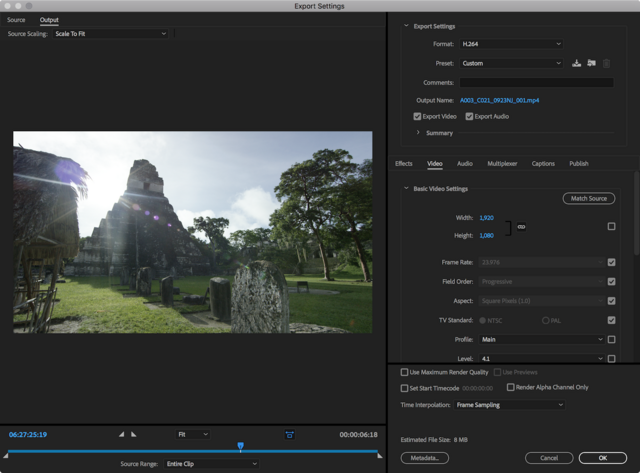
I'll speak about source scaling and how to crop your animation to a smaller size before exporting
I will touch on best practices for folder structure and file naming
What You'll Do
You will export your looped animation that you can share online! You will use Adobe After Effects and Adobe Media Encoder to export your file.
Why You Should Watch
This class is a quick and easy guide for exporting GIFs and understanding social media best practices. You will get to grips with frame rates, resolution, and file limitations.
Having workflow basics in mind, we will be able to focus on animation basics and get your skills to the next level.
There is more to come, so follow me on social media to find out about upcoming classes!
Screenshots

Buy Premium Account for Download With Full Speed:
rapidgator_net:
https://rapidgator.net/file/ed7c9733fcc8bcf448b0fd92dbf58567
uploadgig_com:
https://uploadgig.com/file/download/77315d697f705aeC/Exporting GIFs with Adobe Media Encoder - For Windows and Mac OS.rar
https://rapidgator.net/file/ed7c9733fcc8bcf448b0fd92dbf58567
uploadgig_com:
https://uploadgig.com/file/download/77315d697f705aeC/Exporting GIFs with Adobe Media Encoder - For Windows and Mac OS.rar
Links are Interchangeable - No Password - Single Extraction
Feel free to post your Exporting GIFs with Adobe Media Encoder - For Windows and Mac OS Free Download, torrent, subtitles, free download, quality, NFO, Dangerous Exporting GIFs with Adobe Media Encoder - For Windows and Mac OS Torrent Download, free premium downloads movie, game, mp3 download, crack, serial, keygen.