




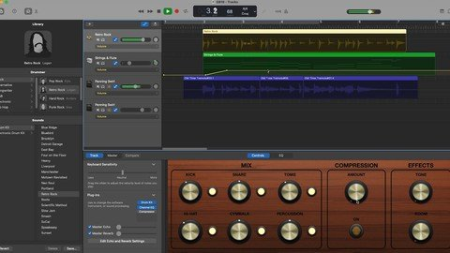
Published 7/2022MP4 | Video: h264, 1280x720 | Audio: AAC, 44.1 KHzLanguage: English | Size: 1.28 GB | Duration: 2h 43m
An Introduction to Digital Recording, Editing, and Production
What you'll learn
Record, edit, and process MIDI and audio in GarageBand
Create beats using loops
Create original music using instruments, voice, or even only a computer
Apply music theory in sampling and song mashups
Construct melodies from chords and vice versa
Requirements
Required: Apple computer with GarageBand, headphones, adapters for peripherals (if applicable)
Recommended: Any audio interface (if you play an instrument that plugs in like electric guitar)
Recommended: Microphone that connects to your computer directly or via interface (if you want to sing)
Description
Students of this course will obtain the tools to autonomously create music using GarageBand on iMac, whether they know an instrument or not.
Students can sing or play any instrument of their choice or simply create using the digital platform. This course targets those who are bners to recording but students of all different musical experiences are likely to learn from and enjoy the course. The focus of the course is creating music in GarageBand using both audio and MIDI with some emphasis on music theory.In the first series of lectures, students will learn how to import audio and align it with the tempo. Once aligned with the tempo, it is then possible to change the tempo and pitch of a piece of music. Using these techniques and a bit of research, students will be challenged to create a mashup of two pieces or sample audio from different pieces in a al creation. This first section of the course requires students to use a few mp3s of their choice. A metronome mobile app is recommended but free metronome sites can also be used in a browser.In the second section of the course, students will learn to record MIDI. It is recommended, but not required, that students have a MIDI keyboard of some sort. Students without a MIDI keyboard may compose MIDI directly in GarageBand using the mouse. Students will learn music theory of keys and key signatures and be challenged to create a melody respecting the rules of a key. Students may use their own backing tracks or use the materials provided. Once a melody is recorded, students will then apply learned techniques to change the sound (instrument) of their recorded MIDI performance and edit the timing, durations, velocities, and pitches of notes in the MIDI performance. Following this, students will be challenged to apply music theory learned during the course to craft a melody from a session containing several MIDI chords and to then do the inverse task and craft chords from a MIDI melody supplied.The third section of the course features a single lecture on structuring a piece of music. Students will be challenged to apply audio editing techniques to structure a piece of music. They may supply the individual audio pieces or use the two samples featured in the lecture.The fourth section of the course explores some built-in features of GarageBand and challenges students to create pieces using the automated drummer track feature as well as the loops library.The fifth section of the course introduces students to post-production techniques such as volume, pan, automation, EQ, and effects such as reverb.The final section of the course goes over proper audio recording setup in depth as well as techniques to create composite audio takes in a track. For this section, the ability to record is required. An interface and/or microphone can be used or the built-in microphone in the computer.
Overview
Section 1: Intro to Audio
Lecture 1 Importing & Aligning Audio
Lecture 2 Adjusting Tempo & Pitch
Lecture 3 Sampling/Mashup
Lecture 4 Exporting an mp3
Section 2: MIDI
Lecture 5 Composing a MIDI Melody
Lecture 6 Chag a MIDI Instrument
Lecture 7 Editing MIDI
Lecture 8 Melody from Chords
Lecture 9 Chords from a Melody
Section 3: Piece Structure
Lecture 10 Structuring a Piece
Section 4: Included Features: Drums & Loops
Lecture 11 Creating a Drummer Track
Lecture 12 Selecting Loops
Section 5: Post-Production
Lecture 13 Volume, Pan, and Automation
Lecture 14 Chag EQ - Bass Boost
Lecture 15 Chag EQ - Telephone Effect
Lecture 16 Adding an Effect - Reverb
Lecture 17 Automating Volume - Crossfades
Section 6: Recording Audio
Lecture 18 Recording Audio
Lecture 19 Comping a Track
Bner GarageBand users interested in beat making,Musicians of any experience looking to learn recording
HomePage:
Code:
Https://anonymz.com/https://www.udemy.com/course/digital-composition/DOWNLOAD
Code:
https://1dl.net/u5vvr786xu6h/dss4Nfks__How_to_Mak.part1.rar.html
https://1dl.net/nv7reyvbt090/dss4Nfks__How_to_Mak.part2.rar.html
Feel free to post your How To Make Beats Using Garageband Free Download, torrent, subtitles, free download, quality, NFO, Dangerous How To Make Beats Using Garageband Torrent Download, free premium downloads movie, game, mp3 download, crack, serial, keygen.