




File Size : 26.7 Mb
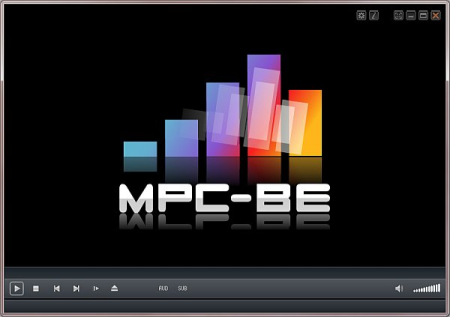
Media Player Classic Black Edition is a free and open source audio and video player for Windows.
Media Player Classic - BE is based on the original "Media Player Classic" project and "Media Player Classic Home Cinema" project, contains additional features and bug fixes. The BE mod (Black Edition Mod) is a skinned version of Media Player Classic Home Cinema, much better looking than the plain old MPC. MPC-HC BE Mod is usually newer because they use the latest SVN the most up-to-date version of the code.
You can use this efficient open source media player to watch your favorite movies or listen to music, as it supports numerous formats. MPC-BE is a user-friendly media player that supports numerous video and audio formats, allowing you to render almost any file you want without any problems. Following an uneventful installation, the application enables you to open local files in its main window. It also provides you with the possibility of streaming online videos or music on your computer, on condition that you have an Internet connection, simply by entering the URL address of the source file. MPC-BE can even play files from DVDs, Blu-ray discs, or other devices.
The program features a series of basic functions, namely 'Play', 'Pause', 'Stop', 'Jump To', 'Full Screen', 'Zoom', 'Filters', 'Shaders', increase, decrease or mute 'Volume'. You can navigate between the various media files in a folder, rendering the ones you like and skipping the ones that do not appeal to you. Items can be added to 'Favorites' so you can access them more easily.
Moreover, MPC-BE offers support for opening subtitles, while also allowing you to search for them online, using opensubtitles.org as a default website. After playing a file, the utility can 'Play Next in the Folder', 'Exit', 'Shutdown' or 'Restart' your computer.
MPC-BE lets you choose the preferred 'Rendered Settings', such as 'Output Range' (either 0-255 or 16-235), 'Presentation', 'Color Management' ('Input Type', 'Ambient Light' or 'Rendering Intent', 'Vsync' ('Accurate', 'Alternative') or 'GPU Control'.
Almost all functions have a hotkey assigned, thus if you feel more comfortable working with your keyboard, you can very well do that. Additionally, you can modify them, to make it easier for you to remember and use them. Similarly, it is responsive to scrolling, meaning you can decrease or increase the volume for instance, just by using your mouse.
To summarize, MPC-BE is an intuitive piece of software that enables you to play your favorite media files with ease, providing you with a wide array of adjustable options, to enhance your viewing or listening experience.
Windows 10 SDK version 10.0.17763.0 is now required to build in Visual Studio 2017.
AudioSplitter
Added support for DSD streams in WavPack (.wv) files.
Added support for MusePack 7/8.
FLVSplitter
Fixed playback of files with incorrect indexes.
MpegSplitter
Added definition of AC-4 audio streams to be ignored.
Added support for SMPTE 302M AES3 audio streams.
Improved 3D Blu-ray support.
Added information about MPEG-2 streams with separate fields in the output pin.
MP4Splitter
Added support for "AV1 Codec Configuration Box".
Added support for TSC2 codec (TechSmith Camtasia).
Fixed reading of parameters for some tracks in AAC format.
Expanded support for tracks in AC-3 format.
Added support for UtVideo.
Added additional language codes.
Fixed playing of some PCM tracks.
MatroskaSplitter
Added support for files with atypical block locations in the snt.
A language code has been added to the track language name if the initials of the code differ from the name.
Removed "Video N" label for named video tracks.
Fixed crash when opening files with HEVC video and empty CodecPrivate block.
Added support for "AV1 Codec Configuration Box".
Improved search for the desired block.
MPCVideoDec
Added support for "AV1 Codec Configuration Box".
Changed the calculation of the number of threads for multithreaded decoding.
Fixed connection to Smart Tee Filter output.
Fixed the name of the "Deinterlacing" setting to "Scan Type".
Added support for UtVideo Pro with UQY0 code.
Fixed order of output formats for PNG48.
Improved DXVA decoder creation error handling.
Improved support for Motion-JPEG streams after webcams.
Fixed support for some older H.264 videos.
DXVA decoder is no longer used for MPEG-2 streams with separate fields on AMD video cards.
AudioSwitcher
Fixed support for playback speed when applying delay.
Added check for supported output formats.
MpcAudioRenderer
Added the ability to select a way to work with data "Event" or "Push".
Fixed initialization of Shared mode for Windows Sonic.
Added option "Don't fill channels when upmixing".
VideoRenderers
Added support for PostScale shaders for MPC Video Renderer.
Added support for "ps_4_0" (Direct3D11) shaders for MPC Video Renderer.
Fixed memory leaks when using Direct3D9.
Fixed bug with creating EVR-CP when using Flip/FlipEx mode when the main window is minimized.
Removed special priority YV12 over NV12 for Intel graphics cards.
Added support for "lessRedraws" command for MPC Video Renderer.
Added the ability to get the displayed image for MPC Video Renderer.
Fixed resetting the frame state on pause for the case of rotation by 180 degrees and frame reflection.
Fixed frame rotation on pause for madVR.
Disabled support for exclusive full screen for SyncRenderer.
Fixed work of menus and commands for active video renderer.
Subtitles
Improved support for Teletext subtitles.
Added basic support for TTML (d Text Markup Language) subtitles.
Fixed missing subtitles when setting a delay and using XySubFilter.
Youtube
Updated Youtube support.
Expanded support for streams in the AV1 format.
The player no longer uses the Google API.
Added the ability to open some pages like
Added selection of possible formats when the video is opened with youtube-dl.
Added support for chapters.
Added the ability to open a Youtube playlist when pasting from the clipboard.
Fixed loading of some playlists.
Added information about the duration of the playlist items.
Player
Added the command "Copy Image to Clipboard".
Fixed saving image with some subtitles.
PnS maximum scale increased from 3x to 5x.
Fixed moving when scaling.
Frame shift is limited to 0.1..0.9 range so that the frame does not disappear from view at all.
Fixed auto-hide cursor when moving from one file to another.
Added the ability to manually associate the .avs (AviSynth script) and .vpy (VapourSynth script) extensions.
Fixed opening DVD-Video from the command line.
Various shader changes in the Shaders folder.
Added shaders "ps_4_0" (Direct3D11) to the Shaders11 folder.
Added support for DX11 shaders in the "Shader Combiner" window.
Minor changes to the Web interface.
Returned the ability to rename items in the playlist.
Removed the limitation of adding dubbing only for local files.
Fixed work of the playlist with the "Shuffle" setting.
The "Shuffle" setting is now available for the "Explorer" playlist.
Optimized control panel and logo rendering.
System registration of a file extension filter now has no special priority over system registration of a filter by signature (check bytes).
Improved player control when playlist is active.
Added filtering of the list of hotkeys.
Added setting "Do not reset speed for session".
Fixed issues when switching between playlists.
When the player crashes, a .stacktrace.txt file will be created in addition to MiniDump.
Fixed window size after exiting full screen mode on monitors with different DPI.
The "Remember playlist" setting now works only for the main playlist and has been renamed to "Remember main playlist".
Fixed sorting in the subtitle dialog, now according to "Default track preference".
Fixed incorrect display of control panel tips over video in some situations.
Fixed incorrect handling of pressing the left mouse button in the main window in some situations.
Added the ability to enable displaying milliseconds in the status bar during the session.
Fixed rendering of the playlist.
Pressing the "Alt + Key" key combination in the playlist is now transferred to the main window.
Fixed URL opening inside M3U files.
Fixed opening too long URLs (more than 2000 characters).
Increased the width of the thumbnail image to 5120.
Improved MPC Video Renderer support.
Fixed opening of some types of local playlists.
Added support for MBSE MultiChannel ASIO Renderer.
The specified delay is applied when saving and copying subtitles to the clipboard.
Morgan Stream Switcher and RatDVD are no longer supported.
Added the ability to disable the display of the current frame in the Web interface.
Fixed debugging of external filters with the release version of the player.
Fixed the skipback and skipforward commands in the WEB interface.
Removed unwanted dark frames on some system menus when using the dark menu in the player.
Added support for pasting files and folders from the clipboard that were copied in Explorer.
The limit for MPCPL playlists has been increased to 10 MB.
Changed the way of setting the priority of tracks. Added support for quotes, "+" for multiple matches, and negation for Default and Forced.
MPCBEShellExt (explorer extension)
Added support for IDropTarget interface.
Updated German translation (by Klaus1189).
Updated Chinese (Simplified) translation (by wushantao).
Updated Turkish translation (by cmhrky).
Updated Chinese (Traditional) and Dutch translation (by beter).
Updated Ukrainian translation (by arestarh1986).
Updated Hungarian translation (by mickey).
Updated Greek translation (by George).
Updated Japanese translation.
Updated libraries:
dav1d git-0.7.1-14-g5fe20ec;
ffmpeg git-n4.4-dev-607-g1ead176d87;
libflac git-1.3.3-62-gce6dd6b5;
libogg git-v1.3.4-13-g0bbcba4;
libpng git-v1.6.37-16-g6dd99ca9c;
Little-CMS git-2.11-12-g29b0d79;
MediaInfo git-v20.08-g84d951c0;
rapidjson git-v1.1.0-549-g8f4c021f;
ZenLib git-v0.4.38-13-g54d2f0d;
DOWNLOAD
uploadgig
rapidgator
nitroflare
Feel free to post your Media Player Classic - Black Edition (MPC-BE) 1.5.5 Build 5433 Multilingual Free Download, torrent, subtitles, free download, quality, NFO, Dangerous Media Player Classic - Black Edition (MPC-BE) 1.5.5 Build 5433 Multilingual Torrent Download, free premium downloads movie, game, mp3 download, crack, serial, keygen.