




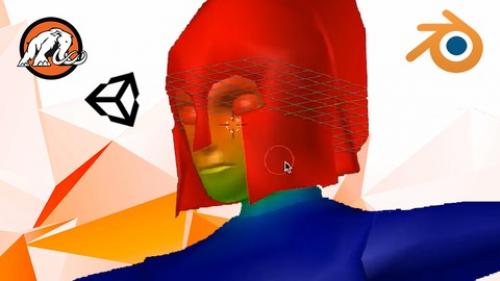
Udemy - Unity & Blender Masterclass: Make a 3D Zenda Game! ..
https://www.udemy.com/course/build-the-legend-of-zenda-game-in-unity3d-and-blender/
Udemy - Unity & Blender Masterclass: Make a 3D Zenda Game! ..
https://www.udemy.com/course/build-the-legend-of-zenda-game-in-unity3d-and-blender/
Description
"This course is a great way to get introduced to coding and bringing the game together from a full SLDC stance. The instructors are responsive, and the Q&A sections are extremely helpful. 100% worth the time invested to learn through this course." -Derek H.
"I learned so much from taking this course about Blender and Unity and making games in general. Thanks for such an awesome course!" - Joseph D.
"Before this course I only knew basic coding. During this course, mostly due to the great explanations, I learned so much about coding. Looking forward to taking more courses of Mammoth after I make this game shine for my 2 daughters who loved to play every bit of the game during the course." ⭐ ⭐ ⭐ ⭐ ⭐
"Very comprehensive tutorial for fans of Zelda and Metroidvania games. Goes straight into basic coding with C#, very brief and more of a refresher than a course on C#, then goes straight into coding the game with movement controls, camera controls, AI, ability acquisition, dungeon completion, and designing with Blender. Lessons are straight to the point, easy to follow, and perfect for people who are learning the more intermediate to advanced coding techniques required for these games. Extremely impressed; would learn again!"
"I really like the way the instructor explains the syntax of the code. He is thorough and explains how the syntax works as he shows you how to write it and what it does and how it functions. Need more instructors like him..."
---------------------------------------------------------------------------------------------------------------------------
In this course, you learn how to build a 3D game with Unity® and Blender. This course is unique because we make both the code and the art for the game from scratch.
Learn the fundamentals of designing, coding, and modeling a 3D game.
Design the game "The Legend of Zenda" and its functionality in Unity®.
Learn how to code in C# and build video game levels.
Why Unity®?
Unity® is one of the most popular platforms in game development. You can use Unity® to build 2D and 3D games. Unity® is cross-platform, which means it is easy to use with other platforms.
Then you create the 3D models for the game in Blender. You build all the art assets for the game, including the characters, weapons, cannon, dungeon, and temple. You learn how to integrate your art from Blender into Unity®.
"At the first glance, I was not very amazed, but when I saw the curriculum and methods used in the classes, I am certain that one can take as much as possible out of this course into a real world example. The course teaches you: Unity from ground up C# Programming in general Blender modeling So you don't have to understand Unity nor programming nor Blender. The pace is more on the slow side, but it is very easy to grasp and pick up. It is a great tutorial package with A HUGE library of steps. Highly recommended!"
"The programming portion is very well explained. The instructor provides very good examples on how C# programming is performed on objects. I'm enjoying the Blender portion of the course. The development of a character in Blender is explained very well and I've learned many new techniques for UV Mapping the character."
Why Blender?
Blender, like Unity®, is a popular production suite that is free to download. Blender is a revolutionary tool for making 3D art digitally. With Blender, you can make art assets for games, like we do in this course.
The pace is more on the slow side, but this course is very easy to grasp and pick up. It is a great tutorial package with A HUGE library of steps.
Even if you're not an artist, you can make basic art models. You may have heard of Axiom Verge and Stardew Valley. These games are million-dollar successes. But did you know that only one person made each?
Usually it takes a whole team of people to build a game. But creators Thomas Happ and Eric Barone developed and designed their games by themselves. Now they're millionaires. You can do it, too.
Let's get started!
Bu kurs kimler için uygun:
Anyone who wants to learn Unity® 5.4.3f1 or Blender v2.78.
Anyone who wants to learn game development.
This course assumes you know a little about Unity® 5.4.3f1 and Blender v2.78.
Course content
Introduction
Download Unity
Gameplay!
T01. Introduction to Unity
1.1 Introduction
1.2 Unity Editor
1.3 Moving a Cube
1.4 Materials
1.5 Lights
1.6 Particle System
1.7 Applying Physics
1.8 Asset Store
T02. Introduction to Coding
2.1 Introduction
2.2 Variables
2.3 Methods
2.4 If Blocks
2.5 Loops
T03. Introduction to Inputs
3.1 Introduction
3.2 Key Presses
3.3 Moving a Player
3.4 Jumping
3.5 Moving Forward
3.6 Cycling Cameras
T04. Introduction to Prefabs
4.1 Introduction
4.2 Introduction to Prefabs
FAQ on Instantiating Objects
4.3 Random Angles
FAQ on Destroying Objects
4.4 Explosion Effect
4.5 Adding Explosion Effects
01G. Player Movement
g1.1 Creating a Project
g1.2 Designing the Player
g1.3 Moving the Player
g1.4 Key Input
g1.5 Activating Physics
g1.6 Jumping
g1.7 Double Jump Block
g1.8 Velocity
g1.9 Velocity Optimizations
g1.10 Looking Around
02G. Weapons
g2.1 Designing a Sword
FAQ on Sword Rotation
g2.2 Swinging the Sword
g2.3 Moving the Sword Back
g2.4 Retreating the Sword
g2.5 Designing the Bomb
g2.6 Bomb Script
g2.7 Exploding the Bomb
g2.8 Throwing Bombs
g2.9 Bow
g2.10 Swapping Weapons
03G. Enemies
g3.1 Simple Enemies
g3.2 Strong Enemy
g3.3 Hit Area
g3.4 Patrolling Logic
g3.5 Shooting Enemy
g3.6 Enemy Bullet
g3.7 Damaging the Player
04G. Camera and User Interface
g4.1 Camera
g4.2 Game Interface
g4.3 Health Bar
g4.4 Main Menu
05G. Terrains
g5.1 Terrain Basics
g5.2 Painting the Terrain
g5.3 Trees and Grass
g5.4 Water
g5.5 Flare and Camera Effects
06G. Level Design
g6.1 Level Terrain
g6.2 Dungeon Entrance
g6.3 Teleporting
g6.4 Dungeon
g6.5 Adding Shooting Enemies to the Dungeon
g6.6 Adding Remaining Enemies
g6.7 Remaining Enemies
Blender Welcome - Interface Runthrough for Beginners
Why Should I Use Blender?
Download and Install Blender
Introduction and Setting Changes
Camera Controls
Emulated Numbpad Camera
Basic Object Manipulation
Frequently Used Tools
Mirror Modifier
07K. Character Art
Reference Images
1.1 Headset Ref
1.2 Head Basic Shaping
1.3 Head Medium Shaping
1.4 Head Lips Shaping
1.5 Head Shape Fixing
1.6 Body Set Ref
1.7 Body Basic Blocking
1.8 Body Base Detailing
1.9 Body Torso Detailing
1.10 Body Hand Detailing
1.11 Body Head Attaching
1.12 Edge Flow Fixing
1.13 Body UV Unwrapping
1.14 Body Base Painting
1.15 Body Painting Base Cleaning Up
1.16 Body Painting Coloring
1.17 Body Painting Detailing Eyes
1.18 Body Painting Face
1.19 Body Painting Full-Body Detailing
1.20 Helmet Modeling
1.21 Helmet Unwrapping and Texturing
1.22 Rigging 01
1.23 Rigging 02
1.24 Rigging End Fix
1.25 Weight Painting and Export
1.26 Importing to Unity
08K. Weapons Art
2.1 Super Basic Prop Modeling
2.2 Sword Basic Prop Modeling
2.3 Bomb Basic Prop Modeling
2.4 Shield Basic Prop Modeling
2.5 Bow Basic Prop Modeling
2.6 Arrow Basic Prop Modeling
2.7 Arrow Quiver Basic Modeling
2.8 Unity Weapon Toon Shading
09K. Basic Enemy Art
3.1 Basic Enemy Head
3.2 Basic Enemy Body
3.3 Basic Enemy Body Fixing
3.4 Basic Enemy Body Rigging
3.5 Basic Enemy UV Unwrapping
3.6 Basic Enemy Texture Painting
3.7 Basic Enemy Unity Importing
10k. Strong Enemy Art
4.1 Strong Enemy Basic Modeling
4.2 Strong Enemy Model Detailing
4.3 Strong Enemy Basic Coloring
4.4 Strong Enemy Rigging
4.5 Strong Enemy Weight Painting
4.6 Strong Enemy Toon Shading
11k. Swivel Cannon Art
5.1 Swivel Cannon Modeling
5.2 Swivel Cannon Unity
12k. Dungeon Art
6.1 Modular Dungeon 1
6.2 Modular Dungeon 2
6.3 Modular Dungeon 3
6.4 Modular Walls Unwrapping 1
6.5 Modular Walls Unwrapping 2
6.6 Modular Walls Exporting UV's
6.7 Dungeon Texturing 1 Floors
6.8 Dungeon Texturing 2 Single Wall
6.9 Dungeon Texturing 3 Angled Walls
6.10 Dungeon Textures Wall Fixing
6.11 Corner Wall Texture Quick Fix
6.12 Dungeon Ceiling 1
6.13 Dungeon Ceiling 2
6.14 Dungeon in Unity
13K. Temple Art
7.1 Modeling a Basic Spawn Temple
7.2 Spawn Temple UV Unwrapping
7.3 Spawn Texturing
14k. Entrance Art
8.1 Modeling Temple Entrance Basics
8.2 Temple Entrance Detailing
8.3 Temple UV Unwrapping 1
8.4 Temple Mountain UV Unwrapping
8.5 Temple Entrance Texturing
8.6 Unity Dungeon Entrance Temple
15G. Humanoid Models
g7.1 Integrating Cannons
g7.2 Humanoid and Animators
g7.3 Player Animations
g7.4 Player Walking
g7.5 Enemy Humanoids
g7.6 Patrolling Rotation
16G. Beat the Dungeon
g8.1 Bomb Art
g8.2 Sword and Bow
g8.3 Attaching Weapons
g9.1 Sword Adjustments
g9.2 Dungeon Enemies
g9.3 Dungeon UI
g9.4 Designing a Treasure
g9.5 Collecting the Treasure
g9.6 Clearing Dungeons
17G. Effects and AI
g10.1 Effect Manager
g10.2 Navigation
g10.3 Agents
g10.4 Agent Animation
g10.5 Enemy Chasing 1
g10.6 Enemy Chasing 2
g10.7 Challenge Time
g10.8 New Player Orientation
g10.9 Camera Rotation
g10.10 Smooth Camera Rotation
Assets and Source Code
Unity Files
Blender Files
More Modeling! Make an Apartment Building
Making the First Block of our Apartment
Making the Door Block
Making the Window Block
Detailing Windows
Beveling the Door
Making the Roof Side Block
Making the Roof L Block
Making the Roof Corner Block
Organizing Blocks
Adding Materials and Color
Putting Together the Building
Source Files
Student Showcase
Student Showcase
Bonus Lecture: LIVE NOW! Early-bird Kickstarter course
Bonus Lecture: LIVE NOW! Early-bird Kickstarter course
Download
https://nitroflare.com/view/846D398C3B8315B/Unity___Blender_Masterclass_Make_a_3D_Zenda_Game_.part1.rar.part
https://nitroflare.com/view/91A588B1F649B46/Unity___Blender_Masterclass_Make_a_3D_Zenda_Game_.part2.rar.part
https://nitroflare.com/view/931DD2BE933F9FA/Unity___Blender_Masterclass_Make_a_3D_Zenda_Game_.part3.rar
https://rapidgator.net/file/904e1e6906257782f6566cf4d958a3ce/Unity___Blender_Masterclass_Make_a_3D_Zenda_Game_.part1.rar.part.html
https://rapidgator.net/file/ea5b78379425ebf72a31d2ed555cc46f/Unity___Blender_Masterclass_Make_a_3D_Zenda_Game_.part2.rar.part.html
https://rapidgator.net/file/f593f985bec70742b0e7d316352cfe5c/Unity___Blender_Masterclass_Make_a_3D_Zenda_Game_.part3.rar.html
Feel free to post your Udemy - Unity & Blender Masterclass: Make a 3D Zenda Game! .. Free Download, torrent, subtitles, free download, quality, NFO, Dangerous Udemy - Unity & Blender Masterclass: Make a 3D Zenda Game! .. Torrent Download, free premium downloads movie, game, mp3 download, crack, serial, keygen.