




File Size: 97.2 MB
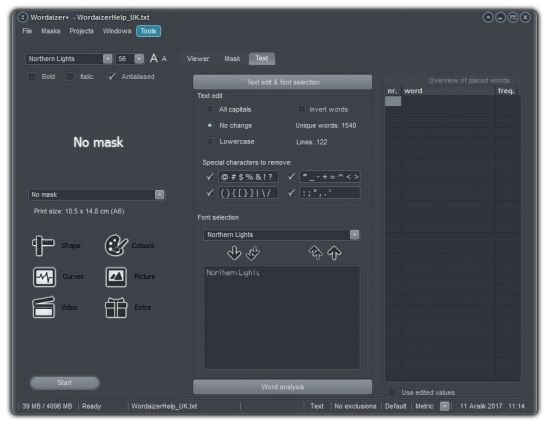
Wordaizer creates word clouds like Wordle does. But with a twist. It allows you to have full freedom to tune your word cloud to any size, colour, font and shape. The application is capable of making really huge word clouds, up to twice the size of A0. Save your result, print the word cloud or show it on your screen. Even animate your cloud if you like.
Wordaizer is a stand-alone application that works under windows or under a windows environment in OS-X (mac). After installation you can immediately create a word cloud. In the first period of use the application is unrestricted and fully functional. When these grace days have expired a few professional features will be limited or locked.
Shape control
Wordaizer creates word clouds in a shape. You can use any of the built-in shapes, or make your own shape. Or 'masks' as we call them. Not just horizontal or vertical words, also words placed at any angle, or even curved and curled. At any word density. Wordaizer let's you create truly unique word clouds.
Print and save
The result from Wordaizer is a (bitmap) picture: it can be saved on harddisk, and printed. The paper size is (of course) adjustable, allowing the user to save up to 2 x A0 (150 dpi print). You can save, print, post-process, copy, mail and publish it. Whatever you like, you have full control over the end result.
Supersize word cloud
You can save the word cloud (we like to call it 'wordlet') in a vector format: as a windows enhanced metafile ('emf' file format). That is a truly unique feature, never seen in any other 'wordle' application before. The 'emf' file wordlet can be enlarged endlessly as large as you want. Like real wallpaper if you like.
Save and re-use
With Wordaizer you can save the full settings into a so-called project file. This is a small file that stores all the relevant settings that you used in your favourite word cloud. Simply re-open that file and continue where you left it and make another great word cloud.
What's New
Optimized for Windows 11
Both in 32bit and 64bit versions
New visual styles, native windows
High DPI sensitive, scaling with Windows' scale
Video now also in mp4 format (ffmpeg codec)
Now also reads excel input files
Extensive in-app information and help available
New languages added: spanish and frysian
Improved layout and controls placements
Larger interface font
Better separation of normal and educational modes
Exit the educational mode now with a (teacher's) passcode
Improved multiple-page printing
New: on-screen word and character dynamics (realtime)
New: extensive video options and possibilities
New: morphing of two text blocks
New: export all the colour palettes as a single image
Bug fixes and many code optimizations
Homepage
https://www.apphelmond.com/Wordaizer/index.htm
Download From Rapidgator.net
https://rapidgator.net/file/0aec1908109deaee543fee38046c15c7
Feel free to post your Wordaizer Pro 6.0.0.193 Multilingual Free Download, torrent, subtitles, free download, quality, NFO, Dangerous Wordaizer Pro 6.0.0.193 Multilingual Torrent Download, free premium downloads movie, game, mp3 download, crack, serial, keygen.